
Quick start
The Choicer Voicer is a voice-impression party game. A clip plays, you perform your interpretation into a microphone, and the game judges the recording. That simple description hides the most useful preparation: test your microphone before inviting other people, make sure you have a pack containing clips, and choose a mode that fits the group in front of you. You do not need a trained voice. You need a quiet enough recording, a reference you can hear, and a willingness to make a strong choice. If you have only ten minutes, follow the checklist below and begin with a short session.
- Open the developer's official page if you want the current recommended desktop release. The listed release is 0.5.3 for Windows and Linux. This independent site also has a browser build labeled 0.5.2 compatibility mode. Treat them as different builds.
- Connect your microphone before starting the game. Speak at an ordinary performance volume and confirm that your operating system sees input from the intended device.
- Start with a short voice pack. The developer notes that the game has little built-in content, so an empty pack list is a content problem rather than necessarily a broken installation.
- Listen to the reference once without performing. Notice the rhythm, pauses, pitch movement, attitude, and the particular sound that makes the line recognizable.
- Record one clear take. Review what happened, change one thing, and play another round. A strong first session is about learning the feedback loop, not chasing a perfect number.
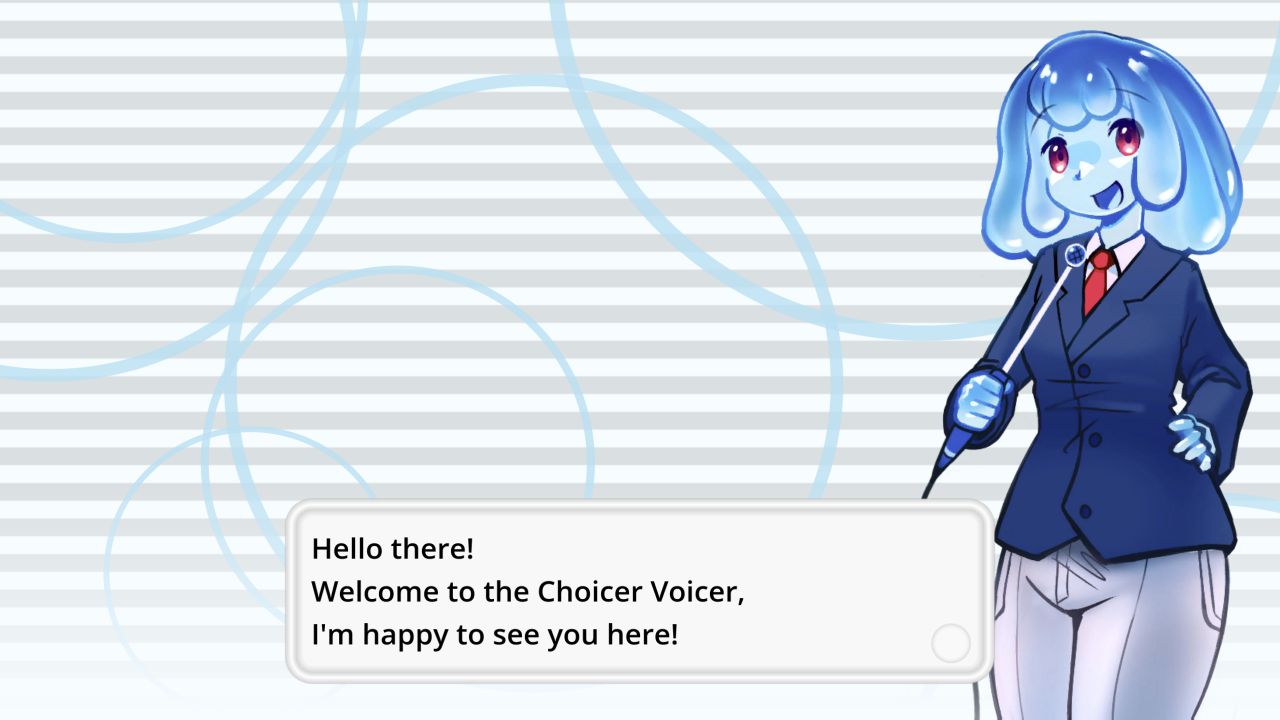
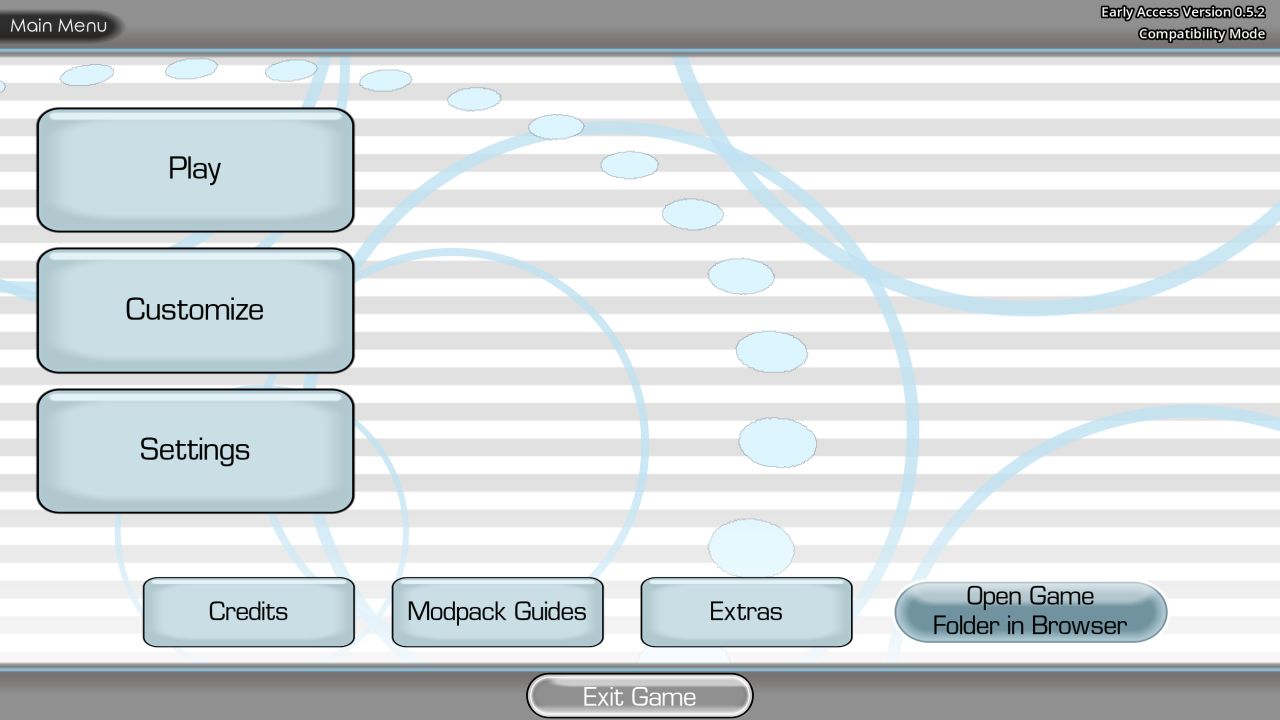
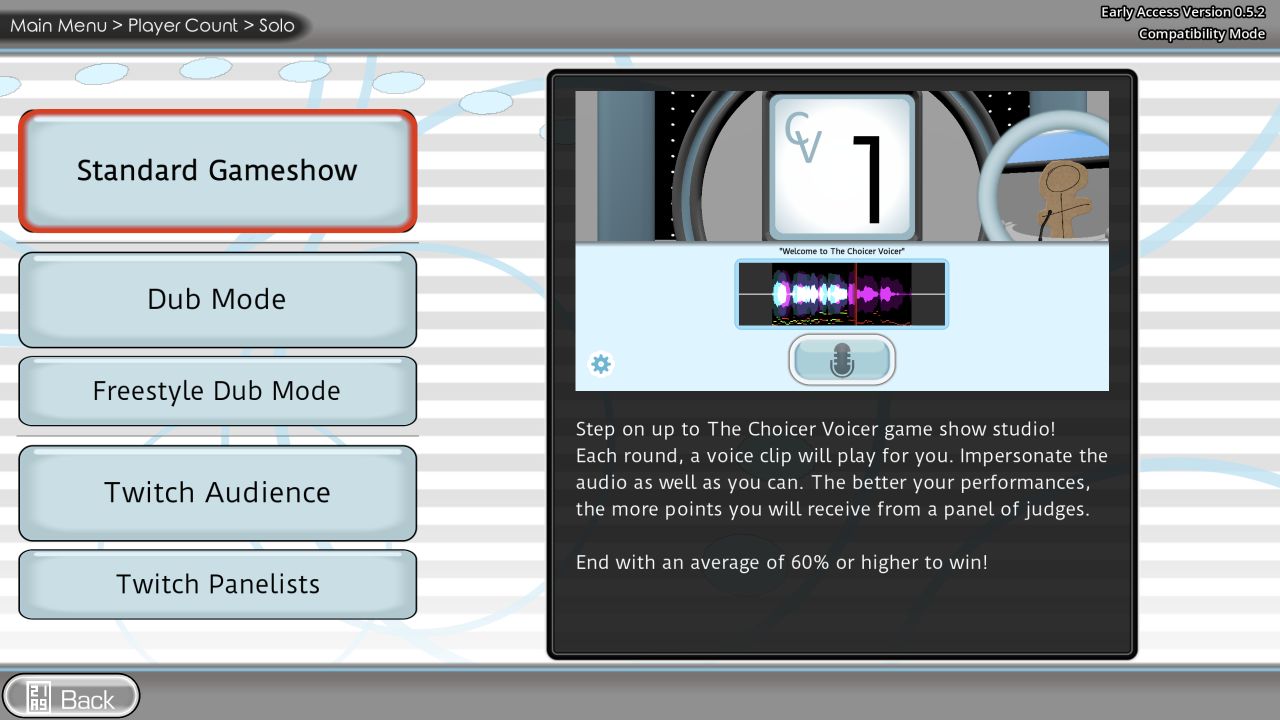
If you use the browser build on this site, press Play on the home page to load it. A modern browser may ask for microphone access. Grant that access only if you intend to record, and check the browser's selected input if the wrong microphone activates. The browser build shown in this guide displayed a welcome dialog, a main menu, a Solo or Group choice, and a Solo menu with Standard Gameshow, Dub Mode, Freestyle Dub Mode, Twitch Audience, and Twitch Panelists. Menu names can change. The developer's official desktop release is the best source for current desktop behavior.
For the official desktop version, obtain the game from YeahMaybe's itch.io page. The developer describes it as early access alpha software and recommends testing your audio setup in the free No Gameplay Demo before purchasing, because some setups do not record correctly. Download the appropriate Windows or Linux build, follow the page's instructions, and launch the game. Do not assume that a browser session is an official replacement for the paid desktop release. The developer explicitly says the official game is currently Windows and Linux only and has no official browser version.
Before a party, spend five minutes on a private dry run. Make a short recording and listen for three things: whether a file actually contains your voice, whether it is loud enough compared with the sample, and whether the beginning or end is cut off. Live monitoring alone is not proof that the recorded take is being captured. The developer has documented cases where a player can hear a live signal yet the recorded result is silent. If that happens, investigate the audio path before planning a long session around that machine.
Which version are you playing?
Version labels matter because instructions are often copied between guides without checking the screen in front of the player. The official store currently recommends 0.5.3 for Windows and Linux. The browser session linked from this fan portal showed “Early Access Version 0.5.2” and “Compatibility Mode” in its upper-right corner when captured for this page. That observation documents this site's build on 22 October 2026; it does not establish that its files are the same as the developer's recommended download. Read your own version label and use the relevant part of this guide.
The official release is the authoritative source for purchase, download, support, and newer features. The developer says official availability is limited to Windows and Linux, with no macOS edition and no design target for Chromebook. They also state that online multiplayer does not currently exist. Local group play and Twitch-related modes are distinct from a networked lobby. If someone offers a supposedly official free web version or asks you to create an unrelated account to get the current release, check the developer's page directly before trusting that claim.
Version 0.5.3 introduced an important safeguard for Dub Mode: work is saved between turns in a temporary folder, and the game can offer to continue after a crash when it detects that progress. The developer's release notes also warn that the gameshow uses different architecture and does not yet have equivalent preservation. Some players have reported cases where the Dub recovery prompt does not appear despite temporary files. It is useful insurance, not a promise that every session can be restored. Finish and save valuable work deliberately, especially when you are testing a new pack or machine.
The official 0.5.3 notes describe several smaller changes: the dub selection page gives more information about clip counts and durations; the game names the speaking character under the clip number; individual Dub Mode clip scores display as percentages; and a debug setting can disable volumetric fog while investigating a washed-out studio view. If your screen lacks one of these details, confirm that you are using 0.5.3 before assuming that the guide or installation is wrong. Older builds remain available on itch.io for comparison, according to the developer, but the latest recommended build is the starting point for most players.
This guide deliberately separates confirmed game facts from editorial playing advice. A statement such as “voice packs belong in packs_voice” comes from the developer's documentation. A suggestion such as “try one exaggerated consonant at a time” is a practice exercise, not a claim about the game's scoring code. This distinction matters when a score changes unexpectedly: the official documentation describes features, while the precise judging algorithm and every edge case are not fully public here. Use practice ideas as experiments, not guarantees.
If a section does not match your interface, do not force the older sequence of clicks. Return to the main menu and look for the feature name, read the current in-game description, and consult the developer's latest notes. A pack author should verify folder names and file format requirements against the official custom content guides. A party host should test the exact installed build and packs that will be used, rather than only reading screenshots of a different build.
Find your way around the menus
The browser build captured for this guide has a compact main menu. Play starts a session; Customize changes parts of the presentation; Settings handles preferences; Extras and Modpack Guides lead toward additional tools and documentation. The exact layout may differ on the official desktop version, but the broad division is useful: choose play mode first, customize only what the group will notice, and leave pack editing for a separate preparation period. Trying to create content while everyone waits at the microphone is a reliable way to slow a party down.
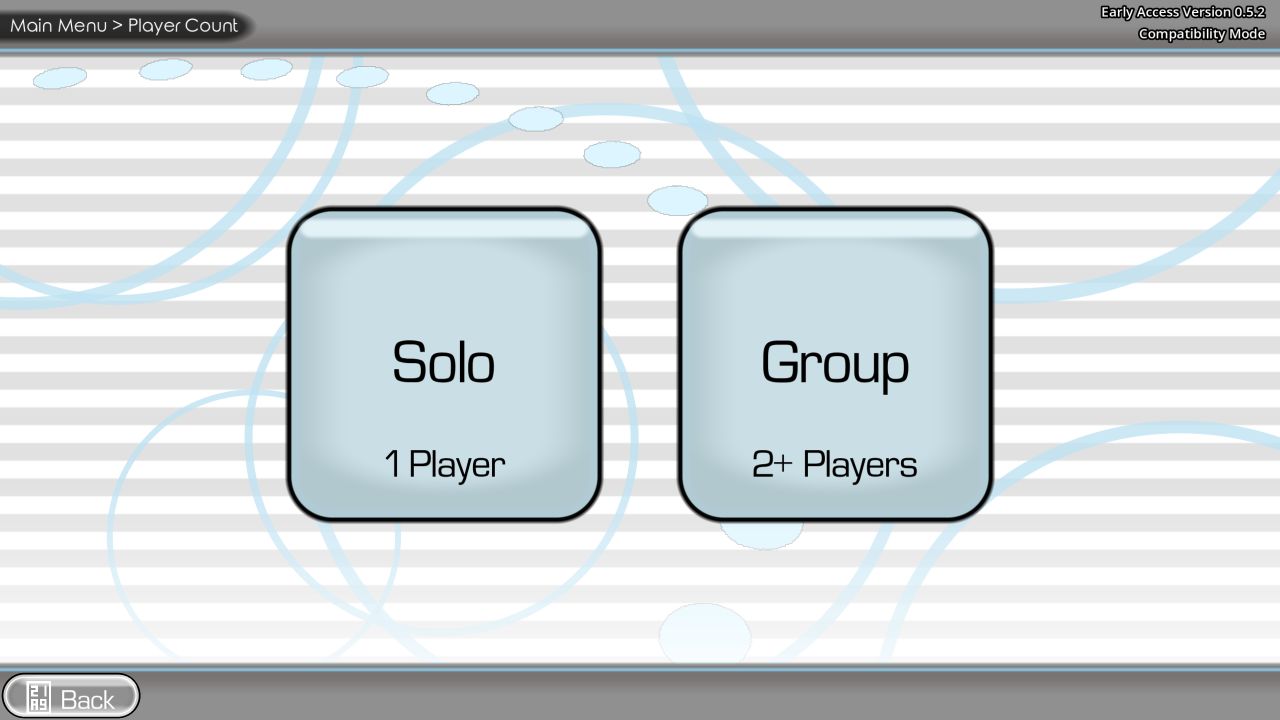
After Play, the captured browser build offers Solo and Group. Solo means one active player. Group is labeled for two or more players in that build; the developer's current store page lists a local multiplayer game show for up to four players. The key word is local. Participants share a room and device setup rather than connecting through a built-in online lobby. If friends are remote, a separate call or stream may let them watch, but it does not create the game's missing online multiplayer feature. Treat microphone routing and delay on such calls as an independent setup problem.
The Solo menu in the captured browser build shows Standard Gameshow, Dub Mode, Freestyle Dub Mode, Twitch Audience, and Twitch Panelists. The standard gameshow is the easiest entry point when you have a voice pack and want short rounds. Dub Mode is a more involved project: a dub pack connects individual audio samples to an included video and eventually plays the new performances over it. The Twitch choices are aimed at a streamer who has already tested chat integration and moderation. Freestyle Dub Mode appears as a separate menu option in the captured build, but this guide does not guess its exact current rules. Read the in-game description in your installed version before scheduling a session around it.
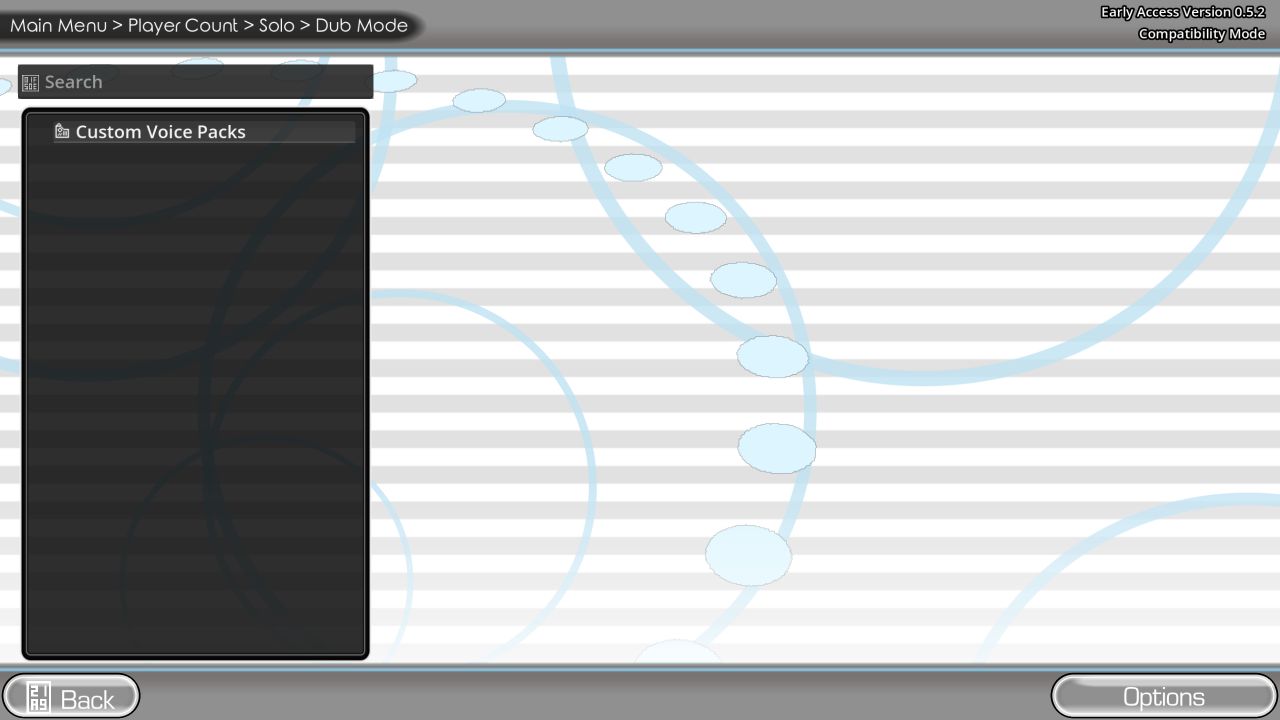
When you choose a mode, the next screen may ask for a pack. An empty list is common because the developer describes the base game as a blank canvas with very little included content. In the browser capture, the Dub Mode pack list displayed only a Custom Voice Packs folder and no selectable dub. That is a truthful screenshot of the state encountered, not a promise that a library is automatically provided. The official pack guides explain how content is placed in the relevant folders. On this site, the Packs page lists community-themed pack pages, but the presence of a listing does not itself prove that a pack is installed inside the running game session.
Before pressing through menus quickly, make a one-sentence session plan. “We will do five standard gameshow rounds with one short pack, then switch players” is enough. It tells you which mode, which content, how long, and what happens at the end. A Dub Mode plan needs more: who will voice which character, whether the pack has been tested, how long the source video runs, and where the finished dub will be saved. The longer the production, the more important it becomes to check the version and recording path first.
Prepare your microphone and listening space
The most efficient improvement to a voice game is usually a reliable recording, not a more expensive microphone. Choose a place where you can hear the reference clearly without your speakers bleeding loudly into the mic. Headphones can help, especially if the sample has music or a second voice. Keep the microphone at a steady distance. Speaking directly into a capsule at very close range can overload it or emphasize plosive bursts; turning slightly off-axis and using a pop filter or modest distance can be easier to control. You should still speak naturally enough that the phrase sounds intentional.
Start by confirming the input in the operating system. On a computer with a built-in microphone, webcam, USB headset, audio interface, and virtual cable, the “default” device can change when anything connects. Open the device's input meter and speak at the volume you will use in the game, not a timid test whisper. If the meter does not move, fix that before opening the game. If it moves but the game records silence, the issue may be the game's access, channel configuration, or an engine-level recording problem. Those are different diagnoses and require different actions.
For a browser session, secure-context permission is usually requested by the browser. Allow the microphone for the game only when you want to use it. Check the address-bar permission control if you previously blocked it, select the intended input in browser or system settings, and reload after changing devices or permissions. An embedded frame can behave differently from a direct tab in some browser setups; the site provides a direct launch link near the player. If the embedded view fails, compare it with a direct launch as a diagnostic step. A direct tab still needs permission and still may not solve a game-engine recording bug.
For the desktop release, the developer's store page warns about a known class of microphones that seem to provide live input but do not produce a recorded take. They suspect some surround-sound setups and Godot's handling of multichannel audio. The free No Gameplay Demo is offered specifically so people can test a microphone before buying. That is stronger evidence than a generic website tip claiming that one checkbox always solves the problem. Try the demo, verify actual playback, and keep track of your audio configuration when reporting a failure. A stereo output test, a different input device, or a simpler audio path may be informative, but none is a guaranteed fix for the unresolved engine issue.
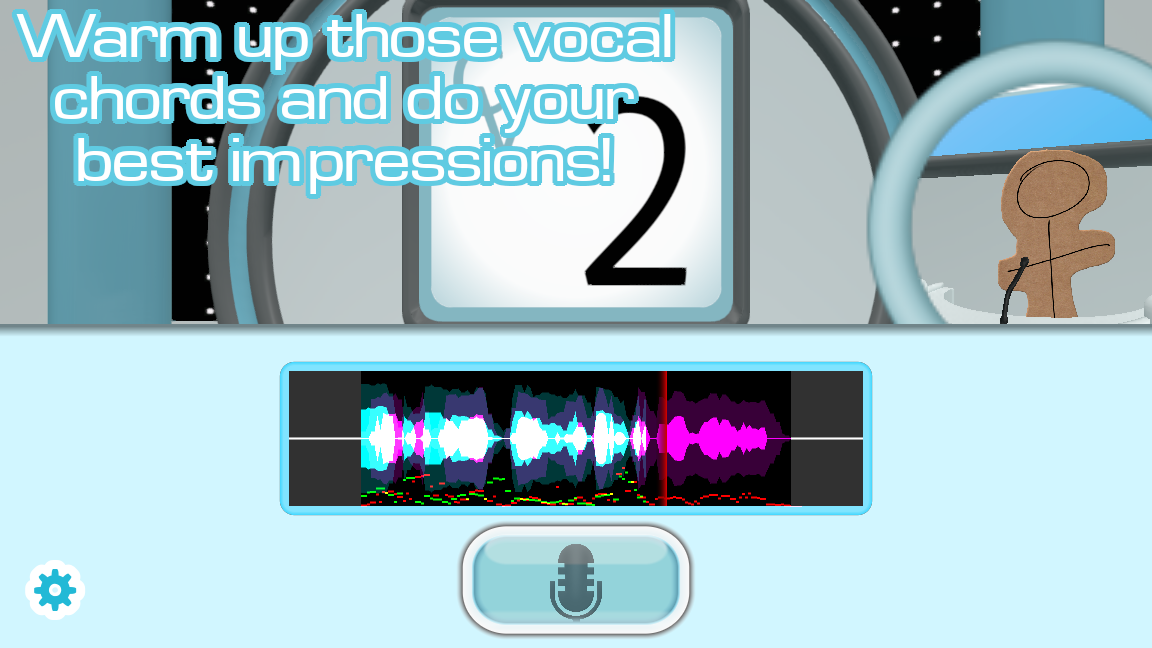
Set levels with the game context in mind. The developer's voice-pack guide says quiet reference clips can frustrate scoring because the algorithm struggles with small waveforms. That statement concerns pack audio, but it also reinforces a practical recording habit: avoid both near-silent and heavily distorted signals. Let a test phrase reach a healthy input level without clipping. If the waveform display is nearly flat, speak closer, raise input gain cautiously, or check the selected microphone. If the waveform is crushed into a dense block or you hear crackling, lower gain or back away. Keep the gain stable for a whole session so that score comparisons are less affected by setup changes.
Background noise deserves a separate test. A fan, keyboard, open window, or television may be barely noticeable during conversation but prominent in a recording. Record ten seconds of room sound and listen back. Move noisy equipment, close unnecessary apps with notification sounds, and use a headset for reference audio if speaker bleed is obvious. If you are playing with a group, establish a simple “quiet during the take” rule. The game rewards performances; it cannot distinguish every friend's laugh from the active player's voice.
Bluetooth devices can switch profiles when their microphone activates, changing how they sound or which input the system selects. If a headset works for listening but records poorly, compare it with the built-in or a wired microphone. Unplugging and reconnecting a device mid-session may change device IDs; reload or restart the game after a switch and retest a complete round. Do not assume that because the device name looks correct, the recording path is still the same as it was before the change.
Your first complete session
A useful first session has a beginning, a repeated action, and a review. Start with a short, familiar pack. Preview a few clips if the interface allows it. Avoid a long montage or a highly layered movie scene as the first attempt. Pick Standard Gameshow in the mode list, select an available pack, and confirm the active microphone. If you see an empty pack screen, stop and add content rather than clicking an empty row. Then play a small number of rounds so that you can learn what the game actually records and how the judges respond.
In each round, listen before you imitate. The first listen is for meaning and shape: is the speaker excited, bored, whispered, pleading, angry, or deliberately flat? The second mental pass is for timing: where does the phrase begin, where does it accelerate, and where does it pause? You do not need to identify a character's exact biology or accent. You need to choose a manageable feature you can reproduce without straining. A clear rhythm and an identifiable emotional intention often make a performance more enjoyable for the room than an unsafe attempt to force a very low or high pitch.
When it is your turn, take one small breath, begin cleanly, and finish the whole line. Do not start with an apology or commentary while the mic is recording. Extra speech can obscure the target phrase and make the playback less entertaining. If you miss the beginning, let the take end and use the next chance to improve; repeatedly stopping yourself can turn a funny game into a stressful exam. A session is best when people feel comfortable making a bold, imperfect attempt.
After a score, compare the recording with the reference in a specific way. “That was bad” is not actionable. “I came in half a beat late,” “I flattened the final word,” or “the mic was quiet” points to a next step. Choose just one change for the following round. If you alter pitch, pace, volume, microphone position, and accent all at once, you cannot tell which difference mattered. This one-variable habit is useful even when the game's scoring details are not published.
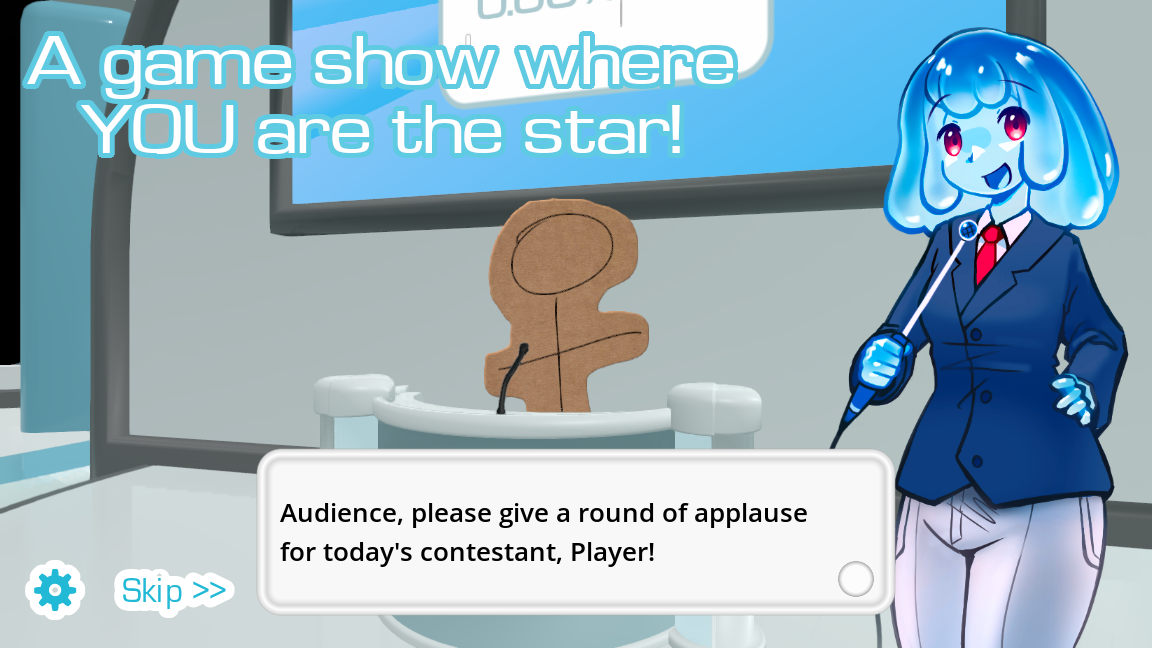
The captured Solo menu's Standard Gameshow description says each round presents a clip to impersonate and a panel of judges awards points. It also says an average of 60% or higher wins. Treat that threshold as a description visible in the captured 0.5.2 browser build, not a universal promise for every mode and version. Dub Mode's scores use different presentation in the 0.5.3 notes, and group or Twitch variants can change the role of judges. The goal for a first session is simply to establish a functioning loop: hear, record, receive feedback, continue.
When a session ends, ask three practical questions before changing anything: did everyone hear the clip, did the recording contain the right voice, and did the session fit the time available? A high score with a broken social flow is less useful than a moderate score in a session everyone can follow. Make the next game easier or harder by selecting a different pack, shortening the session, adjusting the room, or giving players a chance to preview material. These are organizational choices, not secret score modifiers.
Understand the score without obsessing over it
The developer describes the game as judging how well players impersonate audio samples. The official voice-pack guide specifically mentions waveform size and warns pack creators to normalize quiet samples. The gameshow presents computer judges, while the store page also describes a Twitch panelist voting variant. That confirms the broad feedback structure. It does not justify claiming a precise formula, a universal “perfect accent” trick, or a fixed number of points for every action. Scores can depend on version, mode, sample quality, microphone behavior, and whatever logic that build uses.
Use the score as feedback rather than an identity label. A surprisingly low number can mean that your performance differed from the reference, but it can also flag a weak or noisy recording, a sample cut badly, or an audio configuration failure. When you suspect a technical problem, listen to the take if the mode allows, watch whether the waveform appears, and compare another clip. If every take is silent, practice alone will not fix it. If only one unusual clip scores strangely, inspect the pack before changing your entire setup.
The screenshots show colorful waveforms and a microphone control, but a visible waveform is only one clue. The critical check is the recorded output. In the developer's known microphone issue, monitoring can work while the stored take fails. That is why the quick start asks you to complete a round and listen back. It also explains why a player should not spend an hour experimenting with delivery before confirming the file contains their voice.
For training, separate three layers. Technical capture asks whether the microphone recorded a clean signal. Performance similarity asks whether the line resembles the sample in rhythm, phrasing, energy, and tone. Entertainment value asks whether people enjoy hearing the interpretation. A computer score may emphasize the first two in ways that differ from a human audience's reaction. A deliberately comic impression can be a great moment even if the number is mediocre. In a party, let the audience enjoy that rather than policing every score as a verdict.
One helpful experiment uses three takes of the same or similar line where a retake is allowed. First copy timing while using your comfortable pitch. Then keep timing and alter only pitch contour. Finally keep both and add articulation or attitude. Listen to the differences before comparing scores. This avoids the common trap of trying to change every vocal dimension in one attempt. The exercise is an editorial method for learning, not a documented scoring exploit.
Very high scores are rare by design in some displays. The official studio-pack guide describes an “absolute” image for a rare 6/5 performance. That is a customization detail; it does not mean players should set 6/5 as the normal target. If everyone focuses only on a perfect-match animation, they may stop taking creative risks. Consider celebrating the funniest take, the clearest improvement, and the most committed delivery alongside any numerical result.
Build a better impression
An impression is a collection of smaller decisions. You can practice those decisions even if you cannot reproduce the source voice exactly. Start with the part of a line that the audience will notice first. It might be a long vowel, a sharp consonant, an unusual pause, an abrupt change of pitch, or a particular emotional stance. A short phrase often has one distinctive anchor. Find that anchor before trying to copy every microscopic detail. If the source is a comic shout, for example, the sudden rise and confident ending may matter more to listeners than matching the speaker's natural vocal range.
Listen at least once without moving your mouth. Many beginners start imitating at the first syllable and miss the rest of the sentence. During the silent listen, tap the beat lightly or mark the phrase in your head as short units. Imagine a line such as “No, wait — I said tomorrow!” as three actions: refusal, interruption, correction. Reproduce those actions in order. This method gives you a plan you can execute under a countdown and creates a recognizable shape even when the timbre differs.
Choose a safe vocal placement. You should never need to squeeze your throat, shout into distortion, or hold your breath to produce a funny take. A character who sounds rough can often be suggested through slower pacing, lower resonance within your comfortable range, and a dry attitude. A character who sounds tiny can be suggested with quick timing and brighter articulation, rather than forcing your voice to a painful pitch. Stop if a sound hurts. A score or laugh is not worth a strained voice, especially over many rounds.
Practice the rhythm before the accent. Speak the line in your normal voice with the source's pauses, stresses, and sentence melody. Then add one accent feature if it is both respectful and within your ability. This order makes a performance more coherent. Accent attempts can slip into caricature, and they can also distract you from the target clip's actual pacing. When the material is a real person's voice or tied to a community, choose the parts that make the line recognizable without mocking identity. The party game works best when people laugh at the performance and situation, not at someone's background.
Use consonants as landmarks. A plosive, breath, hiss, or rolled sound can show where the phrase sits in time. You need not exaggerate every word. Emphasize one or two landmarks while keeping the remainder legible. Overdoing all consonants can make the line sound stilted, and strong plosives can overload a close microphone. If the recording pops, angle away from the capsule or increase distance slightly. Then repeat at the same volume and compare the playback.
For a long clip, divide the performance into arcs. A line may start calmly, accelerate, peak, and settle. If you treat it as one continuous shout, the ending loses its contrast. Write a tiny map on paper before a private practice run: “soft start / quick middle / slow punch line.” That map is easier to remember than a full phonetic transcription. In a party round with little preparation, choose just the most important transition. A small number of clear choices beats a large number of half-finished ones.
Try a “shadow” practice away from the recording button. Listen through headphones and speak along quietly, matching starts and stops. Then turn off the reference and perform once from memory. This reveals whether you remembered the phrase or only reacted to its sound in real time. If the interface does not support easy replay, make the exercise with a separate practice clip you are allowed to use. Do not record or redistribute someone else's copyrighted material just to create a practice pack; use content you have rights to include.
When you review yourself, listen once as a spectator and once as a technician. The spectator asks whether the take is clear, committed, and fun. The technician checks timing, unwanted room noise, and clipping. This separation prevents technical perfectionism from flattening a performance. A line can be slightly unlike the reference and still be memorable; it can also be technically accurate but too quiet for the room to hear. Decide which problem you are solving before the next take.
Keep practice short. Ten thoughtful minutes with two or three contrasting clips teaches more than an hour of repeating the same line without reflection. End each practice block with a note like “I was late on entries” or “the headset gain jumped.” That note becomes the first check next time. Once a week, compare a new recording with your earlier one using the same microphone and similar settings. Improvement often appears in steadier timing and clearer intent before it appears in any game score.
Standard Gameshow as a party format
The standard gameshow is the clearest mode for a mixed group because each round has a simple story: hear a clip, perform, receive a judgment, and move on. The developer describes a game show studio with computer judges and support for one to four local players. A first-time host should make the format lighter than a tournament. Introduce the rules in one sentence, let someone volunteer for a sample round, and keep the first set short enough that everyone gets a turn before the novelty wears off.
Choose a pack for the people in the room. Familiar references can make imitation easier, but a pack made entirely of inside jokes can exclude newcomers. A varied pack with short, clearly recorded samples gives more players a way in. If children or mixed-age guests are present, preview the material first; community packs can contain swearing or themes that do not fit the room. The game's official store page itself frames player-created packs as an important part of the experience, so content selection is part of hosting, not an afterthought.
Tell players what the microphone will capture. If a single device is passed around, show them the best speaking distance. Mark a spot on the table or stand if that helps. Keep the reference audible to everyone, but use headphones or moderate speakers to reduce bleed into the active microphone. If an audio interface has several inputs, label which one the game uses. This prevents a frustrating pattern where each new player unknowingly speaks into a different device or direction.
Do a low-stakes opening round. Pick a short line with obvious attitude and no difficult names. Encourage the first player to try an interpretation rather than wait for perfection. A host who laughs with the players but never pressures someone to perform can keep the room relaxed. Allow people to pass. Some may prefer to judge the funniest take, help choose packs, or watch. The game has computer judges, but human participation in the room is what makes it a party.
Keep turn length visible. Long setup discussions can overwhelm the actual performance. If a player wants to rehearse, give a brief listen and one attempt, then move on. For a more focused practice session, use a separate block where retakes are welcome. Do not switch between those expectations without saying so. A quick party format and a detailed performance workshop are both enjoyable, but their pacing is different.
If the same clip appears for multiple players, decide whether the later player may copy the first person's idea. There is no universal fair rule; choose one that supports the mood. In a competition, provide equal listening time. In a comedy session, let people build on each other's choices. If someone makes a creative take that earns a low machine score, recognize the contribution aloud. The goal is a room where players feel able to be surprising.
At the end of a short set, offer a clear transition. Continue with the same pack, switch to a new one, try Group, or take a break. If the group wants to compare scores, keep the same microphone and approximate input gain across players. Changing hardware mid-tournament can affect the recording independently of skill. If a device must change, treat the following round as a new session and test it before assigning any significance to the numbers.
Group play and remote friends
The official store page describes a simple local multiplayer version for up to four players. The captured browser build labels its Group choice “2+ Players.” These statements are compatible but not identical: the interface label is broad, while the developer's current feature list provides the upper bound for the official release. Check the installed build when arranging a four-person game. It is reasonable to seat players in a semicircle around the screen, but place the microphone so the active player can speak into it consistently without everyone else's comments dominating the take.
For local play, agree on a turn order and keep it visible. A handwritten list is enough. Tell the next player which clip or pack is coming if the interface makes that information available. If the microphone is handheld, pass it carefully and give the new player a moment to settle. If it is fixed, invite them to the same mark on the floor or table. When each player's distance changes, the volume changes too, and comparisons become less meaningful. A steady physical setup solves more problems than any elaborate scoring spreadsheet.
If the group wants a friendly contest, use categories beyond the game's output. One round could reward closest timing, another funniest interpretation, another strongest commitment to the character. This prevents someone with a naturally similar voice or more microphone experience from dominating every moment. Let the game's judges remain part of the show, but give each participant a route to success that the room can appreciate. Keep categories simple enough to announce before the round.
Remote friends can watch through a call or a stream, but the developer says built-in online multiplayer is not available. A video call does not give each remote participant a supported, synchronized game seat. Some people route remote audio into a local game through external software, yet the developer mentions substantial microphone delay in such setups. If you experiment, label it as an unofficial arrangement and test it privately. Make sure every participant knows whether their voice will be heard or saved by the game and by the call platform. A simpler alternative is to have one local player perform while remote friends vote informally.
Audio feedback is the main remote-session hazard. If the game's sound is sent to a call and the call output re-enters the game microphone, the recording may contain the reference twice or produce echo. Use headphones on the active machine, select one intentional input, and mute any duplicate source. Test one clip end to end before inviting viewers. The order is important: first prove the game records; then prove the call hears it; then add any stream capture. Troubleshooting three audio systems at once is much harder than adding them one at a time.
Do not present a screen share as an official online mode. If you publish a schedule or invite, say “we are playing locally and sharing the screen” or “viewers can vote through the supported Twitch option,” whichever is actually true. This avoids disappointing people who expect a join code. The developer has discussed safety and implementation challenges as reasons online multiplayer remains out of scope for now. Plan around the actual feature set instead of assuming a future release date.
When a remote friend wants to contribute without a direct game seat, give them a role. They can choose the next theme, judge timing, supply a permitted clip, or suggest a line for a later voice pack. If they provide a recording or image, ask whether you may use it in a pack and where it may be shared. A private party pack and a public downloadable pack have different audiences. Being explicit about that distinction keeps an informal game from becoming an accidental publication of someone's voice.
Dub Mode: plan before you record
Dub Mode uses a dub pack to connect individual performed audio samples with an included video. The developer's guide says the pack works as a regular voice pack for normal gameplay, while Dub Mode adds synchronized playback over the video. In this mode the player may make as many retakes as desired, but cannot hear the recordings until the game ends. That restriction changes how you should work: you can repeat a line if you know you missed it, yet you should not assume a take sounds good merely because the live input meter moved. Test the microphone in another mode or demo before beginning a long dub.
Start by choosing a short, tested pack. Read the selection screen's clip count and longest-clip information if your version shows it. A video with many short lines can take longer than a brief one with a few long speeches, because each line needs a performance decision and possibly a retake. Estimate the session from the number of clips, not only the video duration. Decide whether you want a faithful dub, a deliberate comic reinterpretation, or a mix. Tell your collaborators, because the first choice shapes how carefully you mimic the source and the second invites more improvisation.
The developer's 0.5.3 release notes say Dub Mode now displays the speaking character below the clip number. Use that label as a continuity cue. When one person voices several characters, establish a distinct but sustainable approach for each: perhaps one is deliberate and low, another fast and bright. You do not need a completely separate vocal apparatus for every character. You need enough contrast that a listener can follow who is speaking when the final video plays. Keep written character notes if the pack is long or the session spans breaks.
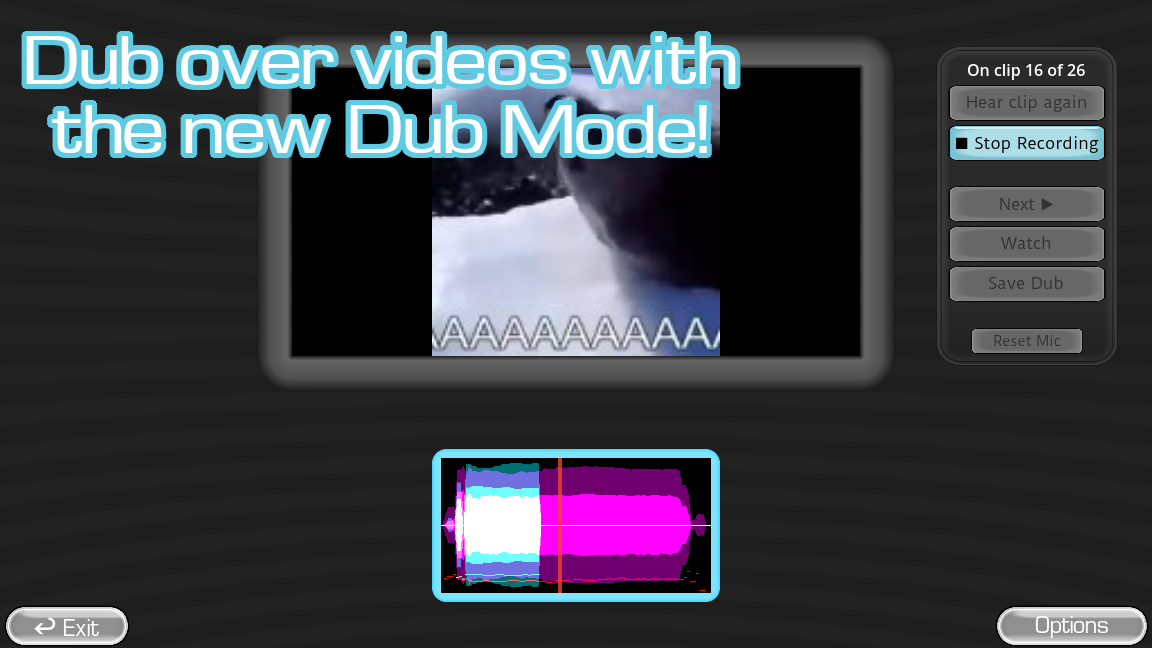
Retakes are most useful when each one has a purpose. A vague “again, but better” often yields fatigue. Decide whether the previous attempt missed timing, diction, character, or energy. Fix one issue first. If a line is long, preserve its beginning and ending landmarks. If the clip contains a pause before a punch line, leave space for the visual moment. A dub is partly a performance and partly an edit in time; an expressive line that begins too late may feel disconnected from the image.
Do not let the inability to hear a take until the end make you overrecord. Set a personal rule such as one warm-up and two serious attempts per ordinary line, with extra time reserved for unusually hard moments. You can break that rule when a take clearly fails, but a finite default keeps a forty-clip project from taking all evening. Take water breaks. Vocal fatigue often sounds like a technical problem: the last lines become quieter, timing drifts, and you may start whispering instead of performing.
Version 0.5.3 saves Dub Mode progress between turns in temporary data intended to help after a crash. If the game detects it on reload, it may ask whether to continue. The developer says gameshow progress lacks the same protection, and players have reported recovery failures in some cases. After a significant session, follow the game's own save or archive flow rather than relying on crash recovery. If something goes wrong, document the version, pack, number of completed clips, and whether the temp directory exists before changing files. Those details help distinguish a pack problem from a recovery problem.
When the final dub plays, listen for continuity rather than scoring each isolated line. Do voices sound as though they belong in the same scene? Does background audio remain audible? Do lines arrive near the visual action? Does one participant's mic sound much louder than another's? The answers inform the next project. If the result is private, you can enjoy its imperfections. If you intend to publish it, check permission for the video, samples, backing track, and every participant's performance. A pack that is fun locally is not automatically licensed for public distribution.
Make a voice pack people want to play
Voice packs are the basic content unit. According to the developer's guide, each is a folder of audio samples placed in packs_voice, and the game modes use them in different ways. A minimal pack can work with audio files alone. Supported sample formats are WAV, MP3, and OGG, with individual clips shorter than sixty seconds. Those requirements are simple, but a playable collection takes editorial work: clear starts and endings, consistent loudness, sensible length, and enough variety that players are not asked to make the same sound repeatedly.
Begin with a small concept, not a huge archive. A ten-clip starter pack around one show, creator, original character, or theme is easier to test than a hundred unrelated files. Write down the intended audience and difficulty. Is it for friends who know a running joke, for newcomers who can enjoy the sound without context, or for experienced impressionists? This decision tells you which clips to include. A memorable line with obvious emotional movement usually makes a better first clip than a context-dependent joke whose entire appeal is the source video.
Before editing audio, confirm that you have a right to use and share it. A public pack may include copyrighted performances, music, film dialogue, or a friend's recorded voice. Private experimentation and public distribution are different acts. The game makes it technically easy to place a file in a folder, but technical ease is not permission. For a pack you intend to offer publicly, use material you own, have a license to use, or have clear consent to publish. Record your own lines if that is easiest. The pack can still be funny and challenging when the source is original.
Trim each sample thoughtfully. Leave enough lead-in to hear the first consonant and enough tail for the final word, while removing dead air that makes the player wonder whether the clip is finished. Do not cut a word in half to meet a target length. A phrase that runs under six seconds is often easier for a beginner to remember, but the official voice-pack limit is under sixty seconds; the shorter target is an editorial suggestion, not a file-format rule. Mix very short exclamations with a few medium sentences so different players have different routes into the game.
Normalize or otherwise balance loudness across the pack. The developer explicitly warns that quiet clips can produce small waveforms and frustrate scoring. Listen to files consecutively at one playback volume. If one clip requires turning the speakers up and the next is painfully loud, fix the source files before involving players. Avoid simply boosting a noisy recording until the hiss dominates. Re-record or clean the source when possible. Keep a backup of the untouched audio, then test the exported files in the game itself, because a file that sounds fine in an editor may load or score differently in the game.
File naming can save future work. Use concise, descriptive names that sort consistently, such as 01_welcome, 02_surprised_reply, and 03_final_shout. The official basic guide does not impose this naming pattern on ordinary voice packs; it is a practical convention. Avoid names that expose private information or rely on punctuation unsupported by a collaborator's file system. If you later turn the pack into a dub pack, numbered clips will be easier to order and align. Keep a short text record of where each audio sample came from, who owns it, and what edits you made.
The in-game Voice Pack Editor, available since version 0.5.0 according to the developer, is reached from Extras and then “Edit Voice Packs & Clip Metadata.” It can assign clip images, captions, tags, an icon, a subtitle, a display name, contributor names, and a description or readme. These details serve players. Captions can make a line easier to follow; tags can help someone choose a type of performance; contributor credits explain whose work is inside. Do not fill every field simply because it exists. Add metadata that helps selection, accessibility, attribution, or maintenance.
The official guide describes two image conveniences. An image named _pack_filler_image can stand in for clips that have no specific art; _icon may also act as a fallback. Alternatively, an image with the same base name as an audio clip can be assigned automatically. Use these rules carefully. A generic fallback should represent the pack as a whole, not imply that a particular scene or character appears in every sample. If you use third-party imagery, check its reuse rights separately from the audio. Descriptive captions remain helpful even when an image is present.
Test the pack as a player would. Start a new session, select it from the list, and play several clips at random. Confirm that each file loads, that the beginning and end are intact, and that the icon or caption matches the sound. Invite a person unfamiliar with the material to try two or three clips. Ask where they hesitated. If they cannot tell when to begin or what emotion the line carries, revise that clip or move it later in the pack. A creator knows the original context; a first-time player does not.
Use version numbers for pack revisions even if you do not publish them. A simple pack-name-v1, v2, and changelog note lets you reproduce a bug and explain changes to friends. Keep the old folder until the new one has been tested. If you share an update, say whether existing dub metadata, icons, or captions changed. A pack is a small software artifact: clear organization reduces support questions and prevents accidental overwrites.
Turn a voice pack into a Dub pack
Dub packs add video synchronization to the voice-pack idea. The developer's official guide lists two essential additions: timestamp metadata for each audio sample and an OGV video named dub_video. The pack still belongs in packs_voice. The guide says the game engine uses OGV for this feature and that a dub pack will fail to load if it cannot find the correctly named OGV file. Before creating dozens of clips, make a tiny prototype with two or three lines and confirm the game recognizes it. A small passing test catches format, naming, and path mistakes before they become a large cleanup job.
Choose source video with a clear right to adapt. If the video is your own, record or obtain isolated dialogue if possible. If you are using another creator's scene, permission for a private joke may not include permission to distribute a pack or finished dub. Think about this before the editing work, because the most polished pack is difficult to share if its ingredients cannot be shared. Also ask performers whether their takes may be included in a final public export. A dub records real voices, and participants should know where those voices may go.
The official workflow suggests extracting audio from the video and optionally separating vocals from background noise. If you isolate a backing track, name that file _backing_track inside the pack so it can play alongside new performances. This can preserve music and ambience in the finished scene, but check that the separation is clean. Heavy artifacts can be more distracting than a simple scene. Compare a short test dub with and without the backing track. If the track includes fragments of the original voice, the new performer may sound doubled rather than integrated.
Cut dialogue into separate samples at intuitive boundaries. The developer suggests aiming for clips under six seconds and numbering filenames in order. The under-six-second advice belongs to the Dub pack authoring guide; it is separate from the under-sixty-second technical limit for ordinary voice-pack clips. A practical boundary is where a speaker stops, where the picture cuts, or where a joke changes direction. Avoid a clip that begins halfway through a breath or contains two characters talking over each other unless you intentionally want the player to voice both. The cleaner the segments, the easier it is to line them up later.
Write down the source time where each sample begins. The developer illustrates this with an audio editor's position display and a filename carrying a timestamp. For example, a clip beginning around forty-four seconds may include that time in its filename so the creator can later enter metadata without searching the whole video again. The exact filename pattern is an organizational aid, not a magical synchronization feature. The game still needs the timestamp data entered in its editor. If a line repeats in the video, the guide says metadata can include each time the sample plays.
Use the in-game Voice Pack Editor under Extras to enter timestamps, captions, images, and tags. For scenes with multiple speakers, the developer recommends “dub character” tags. Players can select which characters they want to voice; unselected characters keep their original audio during playback. This is a powerful design choice for groups. A pack with clearly labeled characters can let one person take a lead role while others cover short supporting lines. Test a scene with one character selected, then with two, to make sure the result follows your intended division.
The editor can mark clips as “dub only,” keeping them out of other modes. Use that when a fragment makes sense only in its video context. A gasp, a half-sentence, or a reaction shot may be essential to the dub but frustrating as an isolated gameshow prompt. Conversely, a quotable standalone line can remain in ordinary voice-pack play. This distinction makes one folder serve two experiences without forcing every sample into both. Document the decision in your pack notes so future collaborators understand why a file appears in one mode and not the other.
Convert the video to OGV after establishing the timeline, then place it in the pack as dub_video with the OGV extension. Verify the actual file name in the operating system; some systems hide extensions, creating mistakes like dub_video.ogv.ogv or leaving an MP4 renamed as OGV without conversion. Renaming an extension does not transcode media. Keep the original video project separately, then test the converted file in the game. Check picture, audio, duration, and a few synchronization points near the beginning, middle, and end. A slight error at one line may be a timestamp issue; drift that grows across the whole video suggests a broader conversion or timing problem.
The 0.5.3 selection screen shows clip counts, per-character durations, and the longest clip, according to the developer's release notes. Use this as a quality review before distributing the pack. A single unexpectedly long clip may be an editing mistake. A character with almost no content may not be satisfying as a player's sole role. Rebalance by cutting a long segment or bundling minor roles where that makes sense. The information is there to help a player choose, but it also gives a creator a compact view of the pack's shape.
Finish with an end-to-end rehearsal. Launch Dub Mode, record every sample in a short test scene, watch the final playback, and compare it with the source timing. Do not rely only on the pack loading successfully. The file could load while captions are wrong, a timestamp is late, or the backing track overwhelms the new voice. Invite one tester who did not build the pack; they are more likely to notice confusing character labels or a clip whose cut point assumes knowledge of the original edit.
Customize the show without losing the game
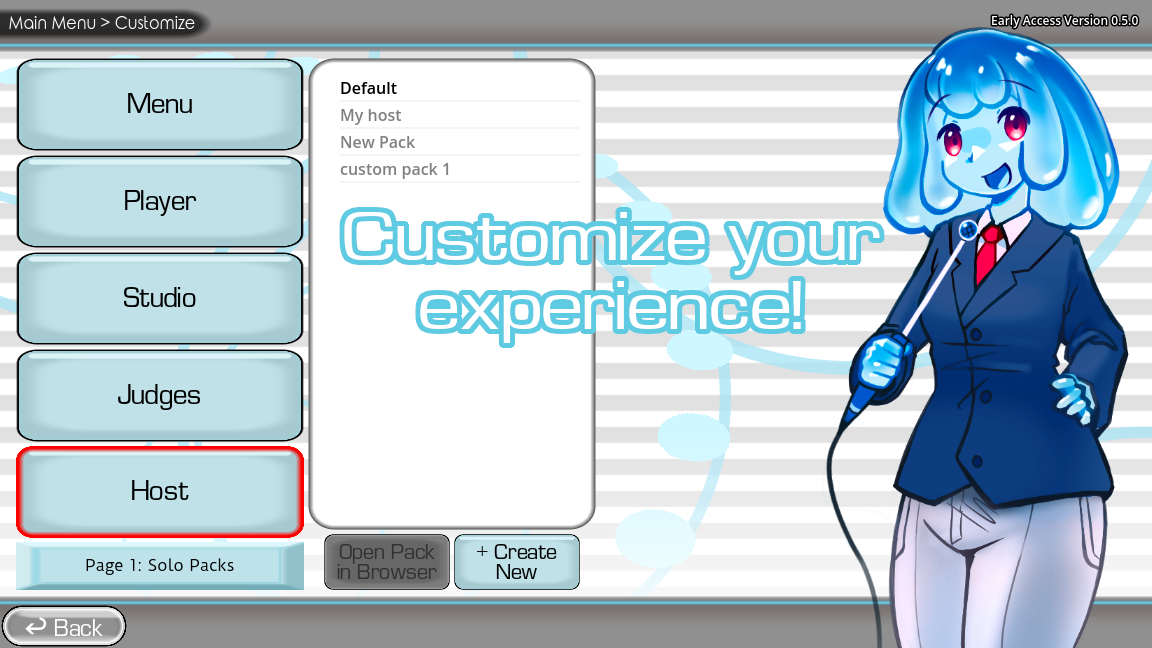
Customization is a core feature in the developer's description. The store page lists voice packs, menu, judges, studio, host, and contestant content, while the official guides explain several of those types in detail. The captured developer screenshot shows a Customize interface with Menu, Player, Studio, Judges, and Host choices. Start with changes that help the players understand the show: a recognizable contestant, a readable studio, and a balanced audio pack. Decorative changes are fun, but they should not hide the active prompt, make dialogue hard to hear, or increase load time beyond what your machine can handle.
Contestant packs represent the character shown during the game show. The developer says they live in packs_player and require an image named player. PNG and JPG are supported, with PNG suggested for transparency. The image is positioned so its bottom edge meets the studio floor and is not automatically scaled, so a small source looks small. The guide suggests a rough target around 500 pixels wide by 1000 pixels tall for the podium. Treat that as an authoring guide, then inspect it in the actual studio. A character with transparent padding in the wrong direction may seem to float or sink despite technically loading.
A contestant pack can include audio reactions for introduction, victory, defeat, and judge scores from zero through five. The developer says the event files can be mapped in the Customization menu, so their file names do not carry the same significance as a required image name. Use reactions sparingly. One short, distinctive response per event gives the character personality; a long loud clip after every judge score can drown out the game's flow. Listen at the volume players will use and check that reaction audio does not startle the person wearing headphones.
Contestant configuration includes the character name, two colors for the podium and score panel, and the host's introduction. Pick colors with enough contrast for the score to remain readable. If the character art uses a very bright palette, a darker podium can keep the text legible. Give the introduction a length that fits the room's pace. These choices are small, but a well-designed contestant feels like part of the show instead of a pasted image. Credit the artist and voice performer when a pack is shared.
Studio packs change the game show environment and are used in the standard and Twitch panelist modes, according to the official guide. They belong in packs_studio. A custom model is optional, but when provided it should be exported as GLB or GLTF and named model. The developer notes that larger models can take longer to load. Begin with a simple model and test it before adding detail. A beautiful set that freezes before every round is worse for a party than a modest one that loads quickly and leaves the performers visible.
When creating a studio folder in-game, a template GLB is generated to show the approximate positions of judges, contestants, and three screens. Use that template as a scale and placement reference. The objects in it are not required to remain in your final model. Check camera sightlines from the actual game: do players see the active contestant, judges, and scoring display? Is a decorative object blocking the microphone waveform or a character's face? Inspect the stage during an entire round, because a view that looks fine at rest can obscure an animation or score reveal.
The studio guide also allows custom studio music in WAV, MP3, or OGG named music_studio, a muted looping OGV video named screen for the score-screen background, and an absolute_image for the rare 6/5 display. A judge pack's absolute image takes priority over the studio's. These are confirmed file conventions. Editorially, mix music below speech, avoid rapidly flashing backgrounds, and test long loops for seams or loud surprises. Use media you can legally distribute. A custom studio pack is often shared beyond the small group for whom it was first made.
Judge packs contain five judges and are stored in packs_judges. The official guide calls for images named judge1 through judge5, again supporting PNG and JPG and recommending PNG when transparency is useful. Judge images are bottom-aligned in the studio and not scaled automatically. A pack can also supply a success image for lit podiums when judges vote in favor, with an optional specific image for each judge such as judge4_success. Test all five positions, not just the first. A missing image or mismatched scale becomes obvious when the panel appears together.
Judge audio can include ordered score blips named scoreblip1 through scoreblip5 and judge-specific voices named with each judge number followed by _voice. The developer explains that the ordered blips follow vote order independently of which judge votes, while a specific judge voice belongs to that judge. This distinction matters when building a themed panel. If you put character-specific speech into an ordered blip, the wrong character may appear to speak. Test at least two different voting sequences and keep the total noise manageable for headphone users.
Customize one component at a time when troubleshooting. If a new studio, judge pack, contestant pack, and voice pack are all installed in one step, a crash or missing asset is difficult to isolate. First confirm the voice content loads, then the contestant, then the judges, then the studio. Keep known-working versions of the folders. When something fails, restore one prior component rather than reinstalling the entire game immediately. This method is ordinary troubleshooting discipline, not a promise that every crash originates in a pack.
Twitch audience and panelist sessions
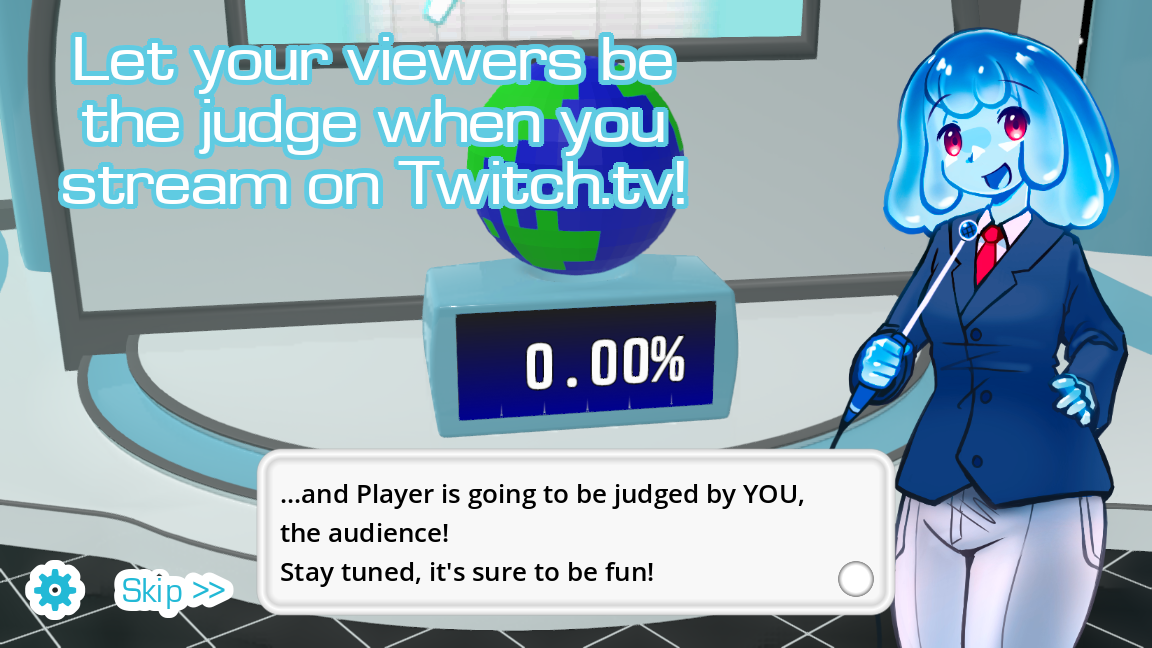
The developer's feature list includes a variant in which Twitch chat votes on performances, and the captured browser build exposes separate Twitch Audience and Twitch Panelists entries. The developer also documents chatter packs for streamers, which can let chat members trigger audio in the game. These are specialized modes. Before using one live, verify the current build's exact connection steps inside the game and perform an unlisted rehearsal. Chat platform permissions, channel names, command syntax, and moderation tools can change, so a static fan guide should not pretend that one sequence of clicks will always connect every account.
First decide what the audience can control. Voting on a performance is different from letting chat trigger audio, and both differ from a person recording a voice line. Explain the active feature at the beginning of a stream. If a chat command is supported, show a concise example and keep it visible in an overlay or channel information. Do not ask viewers to spam a command to test it; use a private or low-traffic rehearsal and a small number of messages. A clear rule helps prevent confusion and makes moderation easier.
Choose a voice pack whose clips are safe for your audience and streaming platform. A local pack made from copyrighted television audio may be technically playable but troublesome in a public broadcast. Listen to every sample and check who made it. If a pack includes a contributor's voice, get permission for streaming, not only for private use. Review on-screen images too: the game may display pack art, contestant art, judge portraits, or a studio video. A successful connection to Twitch does not automatically grant the right to broadcast every asset inside the session.
Plan the audio mix before going live. The active player must hear the reference, the stream must hear enough of it to understand the challenge, and the game must record the player's mic cleanly. Those are three separate paths. Set the game, microphone, music, and call audio to moderate levels, then make a short local recording of the full scene. Listen on ordinary speakers and headphones if possible. If the player hears an echo, investigate monitoring and duplicate capture sources rather than only lowering the master volume. If viewers hear the sample but not the performance, check the stream mixer independently of the game microphone.
Chat voting introduces timing and fairness questions. Say when voting opens and closes if the mode provides that control or clearly indicates a window. Do not count messages sent after the visible result as if they were part of the same round. For a lighthearted stream, use votes as participation rather than proof of technical quality; viewers may support a funny take or a favorite performer. If moderation is active, make sure a trusted moderator can remove abusive messages before they reach the audience or any in-game text display.
The official chatter-pack guide says these packs are Twitch-exclusive and stored in packs_chatter. A chatter pack contains audio files and a config_chatter file in INI or CFG format. It distinguishes broad_keywords, found within a viewer's first word, from case-sensitive exact_keywords. This is a powerful matching system and deserves caution. A broad term such as “clap” can match many variants, potentially triggering frequently. Test with ordinary chat phrases and with the channel's emotes, not just the one exact example you typed into the configuration.
Keep triggered sounds short, comfortable in volume, and appropriate for a busy stream. A sound can be harmless in isolation but exhausting when ten viewers activate it repeatedly. If the mode offers rate limits or moderation controls in your build, use them; if not, choose less common keywords and limit how many files respond to a shared term. The guide says that when multiple files share a keyword, one can be chosen at random. This is useful for variety, but it also makes debugging less deterministic. During testing, begin with one file per keyword, confirm the trigger, then add variants.
After a stream, review a short recording and ask whether the audience understood the rules, whether game sounds obscured speech, and whether commands were easy to use without overwhelming chat. Adjust only the problem you observed. A thoughtful small audience session can be more enjoyable than an elaborate setup full of alerts. The point of streamer features is to bring viewers into the game show; the game show still needs a comprehensible vocal performance at its center.
When the microphone appears live but recordings are silent
This deserves its own chapter because the developer identifies it as a serious known issue. A moving input meter or audible live monitor is not the same as a completed recorded take. The official store warns that certain audio setups can prevent the game from capturing audio, and the developer has described a possible connection to surround-sound channel handling in Godot. The issue has not been presented as universally fixed in the current public notes. Test a finished recording in the free No Gameplay Demo before buying the desktop release if this is a concern for your setup.
Begin with observations rather than random setting changes. Write down the installed game version, operating system, selected microphone, output device, and whether the problem occurs in the demo, desktop game, browser build, or more than one. Does the system input meter move? Does the game show a waveform? Can you hear live monitoring? Does the saved or scored take contain your voice? Does another recording app capture the same microphone? These answers divide the problem into device failure, permission failure, routing failure, and the game's capture failure.
If the operating system's own meter is flat, the game cannot record a useful signal from that device. Check that it is plugged in, not muted on the headset, selected as the active input, and not disabled in system privacy settings. Try a plain voice recorder to verify a normal file. If that recorder also fails, stay outside the game until the device works. If it succeeds, move to the next layer. This step seems obvious, but it saves time by preventing game-specific fixes from being applied to a disconnected microphone.
If the system recorder works but the game does not show input, verify the game or browser's access and selected input. In a browser, review site microphone permission and reload after changes. On desktop, check system app permissions and whether a virtual audio device has replaced the intended microphone. Disconnect unnecessary devices temporarily and restart the game with one clear input. Test with a short full round, not only a settings-page meter. If you use a USB interface, ensure the mic is connected to the channel the system exposes as its default capture source.
If the game shows input and monitoring but the final recording is silent, you may be seeing the developer's known issue. Do not present permission toggles as a certain fix. Try a simpler stereo output configuration if available and safe, a different microphone or headset, and the free demo. Make one change at a time and record the result. If the issue persists, share the evidence with the developer's designated discussion rather than posting only “mic broken.” A useful report says what works, what fails, and the hardware or channel setup involved. It also says whether the same behavior appears in 0.5.3 and an older build.
Some audio devices combine monitoring and recording in ways that mislead. For example, an interface can route direct monitor audio into headphones while the software sees another channel. A headset can play its own sidetone even when the game never receives a usable recording. When diagnosing, turn your attention to an actual saved sample or in-game playback. A visible moving bar is helpful, but it is not final proof. Once a working setup is found, write it down before changing cables or installing another virtual mixer.
If you are organizing a party, have a fallback. You can pause to swap to a built-in or wired microphone, change from a long Dub Mode plan to a short gameshow test, or let friends perform for one another without scoring while you troubleshoot later. Do not make guests wait through repeated driver experiments. A voice game should serve the room. If you cannot establish reliable capture within a few minutes, save the detailed debugging for a private session.
Browser-specific microphone checks
The browser build on this independent site is reached through an embedded player on the home page or directly at the site's game URL. Browsers ask permission by origin, so a permission previously granted to the home page may not automatically apply to the game host. When you press Play and the game first tries to record, watch for the prompt, read which site requests access, and grant it only if you wish to play. If you blocked it earlier, use the browser's site controls to change that site's setting, then reload the game. This is ordinary browser troubleshooting; it does not establish that the browser build is official.
An embedded game can have a different failure from a direct tab. If the frame appears but recording fails, try the direct game link offered near the player. Compare whether the permission prompt appears, whether input is detected, and whether the same pack list is visible. A result that differs between frame and tab suggests browser embedding or permission behavior. A result that fails identically in both suggests looking at the device, browser, or game. Keep the comparison controlled by using the same browser profile and microphone.
Mobile browsers add another set of variables. The game may load on a phone, but that does not mean every interface is equally comfortable on a small touch screen or every audio route is reliable. Open the game in the actual browser rather than an in-app preview. Avoid switching apps during recording, and keep the phone close enough to capture speech without covering the microphone. If wireless earbuds are connected, check whether the browser uses their microphone or the phone's built-in one. Test a whole take before assuming that a responsive menu proves the game is playable end to end.
Browser audio can also be muted by the tab, device, or site. Distinguish “I cannot hear the sample” from “the game cannot hear me.” For missing reference audio, check media volume, tab mute state, output device, and whether autoplay was blocked until an interaction. For missing input, check microphone permission and source selection. If both fail, restart with one browser tab and a simple wired device where possible. Do not change browser privacy protections broadly to make one site work; adjust the permission for the intended game origin and reverse it after a session if you prefer.
If the game runs slowly, close resource-heavy tabs, disable unnecessary screen recording during the test, and compare a shorter pack. Browser performance can affect audio timing or make controls feel unresponsive, but slow performance is not the same as a silent microphone. Record each symptom separately. A report that says “the screen froze for two seconds at clip 12 and the saved voice is still present” is more useful than a broad claim that audio failed. If the browser build and official desktop release behave differently, include both version labels in your notes.
The site's dedicated microphone help page has a shorter checklist for permission and device selection. Use it when the problem is an obvious browser setting. Use the developer's store warning and discussion when a completed take remains silent despite a working system mic. Neither source can guarantee a fix for every audio setup, but together they help you identify where the failure occurs.
Diagnose pack loading and missing content
An empty selection screen can be an expected starting state. The developer says there is very little built-in content and that the game is a blank canvas for packs. Before reinstalling anything, determine whether you have actually placed a compatible voice or dub pack where that build expects it. The official voice and dub guides both point to packs_voice, accessible from the main menu. In the captured browser build, the Dub selection list was empty apart from its Custom Voice Packs folder. That screenshot documents an unpopulated session, not proof that every user sees the same list.
Check the folder hierarchy. A frequent mistake is nesting one extra directory level, such as packs_voice/my-pack/my-pack/audio-files, when the game expects the pack folder to contain the files directly. Another is dropping a ZIP archive into the folder without extracting it. Compare your structure with the official guide for the pack type, then restart or refresh the game's content view. Do not rename or move a working pack without first copying it; if you lose track of the original, it becomes harder to identify which change caused the failure.
For a basic voice pack, test with one known-valid WAV, MP3, or OGG clip under sixty seconds. If a minimal folder appears and plays, add the rest of the files in small batches. That isolates a corrupt file or unsupported format. Check extensions that may be hidden by the operating system. An audio file named line.mp3.wav may not be what it appears in a file manager. If the game can display the pack but not a particular sample, inspect that file's encoding and duration in a normal media player before blaming pack metadata.
For a dub pack, a missing or incorrectly named dub_video OGV is a likely failure. The developer says the pack cannot load as a functional dub without the video and per-sample sync metadata. Verify the video genuinely uses OGV encoding, not just an OGV extension. Then inspect a tiny test scene with two timestamped samples. Once that works, add the full video and clip list. A pack that works in Standard Gameshow but not Dub Mode is a useful clue: the base voice files may be fine while the video or dub metadata is incomplete.
Images and optional metadata should be added after the core audio works. An icon or filler image can improve browsing but does not replace a playable clip. If a pack disappears only after you add an asset, remove that newest asset temporarily and test again. Keep a change log. When sharing a pack with someone else, include the version, expected game build, file structure, and a short note about any external dependencies. A clear readme helps players distinguish a true bug from a missing file.
On this fan portal, the Packs page is a catalog of pages and links related to packs. It should not be confused with the official desktop game's local packs_voice folder or with automatic installation inside the browser build. Verify the actual download or integration path provided on a pack page before telling a friend that a pack is ready to play. If the browser session cannot access local files, a pack that works on desktop may require a different delivery path. This guide does not promise cross-build pack compatibility without an end-to-end test.
A twenty-minute practice lab
This practice lab is a repeatable way to learn without pretending to know an unpublished scoring formula. You need a functioning microphone, a few clips you are allowed to use, a quiet place, and somewhere to jot a sentence after each attempt. The purpose is to make listening and performance choices visible to yourself. If your recording is silent or badly distorted, stop and solve that first. Training against a broken signal teaches the wrong lesson. Once the audio path works, keep the same mic position and gain for the entire lab.
Minutes zero through three are for calibration. Say a normal sentence at your expected performance volume, then a louder sentence and a softer one. Listen back. Adjust distance or gain until all three are understandable without harsh clipping or near-silence. Do not chase a perfectly flat meter. You want room for expressive changes. If you are using a laptop microphone, note whether typing, desk vibration, or fan noise is unusually prominent. Move the machine or choose a different mic if that problem would dominate a real session.
Minutes three through seven are for rhythm. Choose a short clip with a clear pause or change in speed. Listen twice. On the first listen, tap the beats silently; on the second, mark where the speaker takes a breath or changes direction. Record a version in your ordinary voice, aiming only to match timing. Ignore pitch and character for now. Review the beginning and end. Did you enter at the same point? Did you rush the final word? Make one more take with the same comfortable voice, correcting only the largest timing difference.
Minutes seven through eleven are for pitch contour. Choose a line where the voice rises and falls but is still within your comfortable expressive range. Speak the line once as a monotone, then once with the source's broad melody. You are not trying to match the speaker's absolute pitch. Notice whether the question-like rise, dramatic drop, or held note changes how recognizable the line feels. If you cannot reach a note comfortably, keep the shape and shift the whole contour into your own range. A safe recognizable contour is better than a painful exact imitation.
Minutes eleven through fifteen are for intention. Take one phrase and perform it with two different motives, such as sincere excitement and theatrical sarcasm. Listen to how the emphasis changes even when the words stay the same. Then return to the reference and decide which motive better describes it. Record a third take that makes the source intention clear. This exercise helps when a sample sounds strange because its character is unusual, not because its syllables are hard. It also gives you a conscious choice instead of a vague instruction to “do a voice.”
Minutes fifteen through eighteen are for articulation. Choose a clip with one distinctive consonant pattern or vowel. Practice that one feature slowly, then put it back into the complete line at normal speed. If you produce plosive pops, turn slightly away from the mic. If a hiss becomes harsh, reduce the exaggeration rather than lowering the whole recording level. Compare your take to the earlier rhythm and intention exercises. The best version may not be the most extreme; it may simply make the special sound noticeable while keeping the sentence clear.
The final two minutes are for review. Write down one improvement you can hear and one problem you will test next time. Choose evidence, not a judgment of your talent: “my entry was closer,” “the last syllable is still clipped,” or “the reference is much louder than my recording.” Save a short clip only if you and its source owner are comfortable retaining it. Repeat the lab with different material another day. The exercises are intentionally small so that you can notice change instead of exhausting your voice.
If you practice with another person, alternate roles. The listener should describe a specific observation before giving an opinion: “I heard the pause,” “the ending arrived early,” or “the mic crackled on the loud word.” Then the performer chooses the next change. Avoid a flood of notes. Too many corrections can make someone self-conscious and less expressive. One clear instruction per retake is enough for a twenty-minute session.
Four ways to host a memorable game night
The first format is a short showcase. Set up one reliable microphone, a single mixed-difficulty voice pack, and perhaps three rounds per person. Let players choose whether to volunteer, and encourage an audience reaction after each take. This works when guests are new or have limited time. Prepare the pack and audio beforehand so the room never waits for file management. At the end, ask which clip everyone would like to hear performed again. A showcase celebrates variety more than a final score.
The second format is a theme night. Choose clips around a topic the group knows, such as invented villains, exaggerated advertisements, or original characters recorded by the group. Keep the theme broad enough that guests who miss a reference can still enjoy the sound. Introduce each pack with one sentence and avoid explaining the entire joke before the clip plays. Give players permission to interpret rather than recreate exactly. A surprising reinterpretation can become the highlight of a theme night even if its score is modest.
The third format is a dub workshop. Begin with a short OGV scene in a tested dub pack and assign character roles before recording. Tell everyone whether the goal is faithful timing, comedy, or experimentation. Budget time for retakes and breaks, and reserve the end for watching the whole dub together. A workshop needs more patience than a rapid gameshow. Keep a note of how many clips remain so the group can decide whether to finish in one sitting. In version 0.5.3, crash preservation is available for Dub Mode but should be treated as a fallback.
The fourth format is a streamed audience show. One or more local performers play while remote viewers watch or take part through a supported Twitch mode. Test the streaming audio chain privately, choose content suitable for broadcast, and explain the participation rule on screen. Have a moderator or trusted co-host watch for spam and technical problems. Keep a fallback mode ready if chat integration fails. A good stream is a good local show with an understandable audience role added, not a stack of untested overlays.
For any format, prepare a run sheet with just five lines: version and machine, microphone and input device, chosen pack, mode and approximate number of rounds, and the fallback if recording fails. That is enough to keep a host calm when a guest arrives early or a USB cable slips out. Do not write a rigid script for every joke. The players' unexpected choices are the point of the game. The run sheet protects the technical foundation so the room can be spontaneous.
Consider energy as well as duration. Voice acting and laughing are tiring, especially with repeated loud takes. A group that wants a two-hour event may enjoy several short sets with breaks, not one continuous score chase. Offer water. Let someone pass without being teased. Keep speakers at a comfortable level; the reference clips and custom reactions may vary in loudness. If a pack is full of shouts, alternate it with calmer material. The goal is for everyone to leave wanting another round, not with a sore throat.
After the event, ask for one useful observation from participants. Was a particular pack too obscure? Did the microphone location work? Did anyone feel unsure when their turn began? Use the answers to refine the next session. If you recorded or streamed the party, tell people where that media will be kept and whether you plan to share it. A voice performance is personal even when it was delivered as a joke. An open conversation about sharing keeps future game nights comfortable.
Accessibility and comfort
A voice-centered game places unusual demands on hearing, speech, and confidence. Some players may enjoy watching, choosing clips, or judging performances more than recording themselves. Treat those roles as real participation. Ask how people want to join without requiring them to explain a disability or personal reason. A game night can include a co-host who reads pack titles, a friend who checks captions, and someone who selects the next theme. Making space for these contributions does not reduce the show; it makes the show easier to share.
Captions in a custom voice pack can help a player follow unfamiliar or noisy material. The developer's editor supports captions per sample. Write them accurately and keep them synchronized with the audio's meaning; do not use a caption to reveal a hidden joke that the sound does not contain. If the clip has multiple speakers, identify them where that helps. Test captions from the distance people will actually view the screen. A tiny label that looks fine while authoring may be unreadable from a sofa.
Keep audio at a comfortable level. Loud samples, score blips, judge reactions, and custom studio music can pile up. Balance the pack before playing and give guests a quick volume check. If someone is sensitive to abrupt sounds, preview the pack and avoid sudden shouts or startling effects. Offer headphones only if the person wants them, and remember that headphones make loud surprises more intense. A participant who can control volume and take breaks is more likely to enjoy a long session.
Do not demand that everyone match the source's pitch or accent. A person with a limited comfortable range can imitate timing, emotion, or phrasing instead. If someone uses an assistive device or has a speech difference, ask whether they want a particular adjustment and accept their answer. A machine score may not represent the creativity of every voice equally. Celebrate the performance with the same respect you give anyone else's. When the room laughs, make sure they are laughing with the performer.
The interface may be easier on a larger screen and with a mouse, particularly for pack editing. If someone has difficulty with a small mobile control, use the desktop version or enlarge the browser view where possible. Avoid assuming that the game is fully accessible simply because a page is responsive. Test the actual screen, microphone control, captions, and end-of-round flow with the people who will use them. If a feature is inaccessible, choose a different way for that person to participate rather than making them repeatedly fight the interface.
Privacy is part of comfort. Tell participants if their voices will be saved in a dub, stored on a local machine, played to a stream, or shared in a public pack. Do not record a person who thought they were only practicing privately. The official game is still in alpha and its exact storage behavior can vary by mode and version, so verify the workflow on your own machine. A simple consent check before pressing Record prevents an awkward conversation after the file exists.
Field notes: eight common situations
The guest who has never heard the source
Imagine a player selects a pack full of references familiar to the host but not to them. The first clip plays and everyone else laughs before the player has even heard the final word. The player's uncertainty is not a failure of confidence; the pack requires context that the room has not shared. Give them a short, self-contained sample next. Tell the group to let the clip finish before reacting. If the line is still difficult, invite an interpretation of its mood rather than an exact character impression. The player can exaggerate the speaker's hesitation, urgency, or surprise without knowing the story behind it.
For future sessions, mark pack clips by difficulty or familiarity in your planning notes. The official editor supports tags, which can help players sort samples, but you can also keep an informal list. A starter round should have a phrase whose emotion is audible without explanation. Save the deep-cut joke for friends who know it or for later in the evening when everyone is comfortable. This change improves participation while preserving the strange material that makes custom packs fun.
The excellent performance with a surprisingly low score
A player captures the room with a funny take, yet the judges give a weak result. First, let the audience reaction stand. The machine result is part of the show's comedy, not a reason to erase the moment. Then ask whether the recording itself was clear. Did the microphone capture the entire line? Was the input much quieter than the reference? Did laughter from others bleed into the take? If the audio is technically sound, note that an entertaining reinterpretation may differ from the sample in ways the judges penalize. The game's public description does not promise that human entertainment and algorithmic similarity are identical.
For a friendly comparison, try a second take that follows the sample's rhythm more closely while keeping the same emotional idea. Do not change microphone settings between takes. If the score changes, you have an observation about that clip in that build, not proof of a universal rule. If both remain low and the recording sounds good, move on. Repeating a single mysterious score until the room is bored is a poor trade. In a future workshop, that same clip can become a targeted practice exercise.
The silent recorded take on an otherwise working headset
The player can hear their own voice while performing, but playback contains nothing. This resembles the developer's documented issue. Stop treating the live sound as proof of capture. Test an actual file in the No Gameplay Demo or the current game. Compare the operating system's plain recorder. Note the selected input and output devices, the game version, and whether surround processing is enabled. If the plain recorder works while the game's saved take does not, try a simpler device path or alternate mic, one change at a time.
Do not promise that permission, a browser refresh, or a new pack will fix it. Those actions address different failure classes. If the problem persists, send the details to the developer's mic discussion or use another machine for the event. A host can still make the evening enjoyable with a backup performer or a short break, but should not keep asking the same guest to do a silent take. Their performance is not the problem.
The dub that loads but ends out of sync
The pack appears, every line records, and the final playback begins well but drifts later. Separate two possibilities. One or several timestamps may be wrong, producing local jumps; or the converted video and source timeline may not align over the full duration. Check a sample near the beginning, middle, and end. If only one section differs, review those clips' metadata and cut points. If the error grows steadily, compare the OGV duration and timing with the file used to measure timestamps. Do not shift every individual clip until you know whether the source changed during conversion.
Use a small test video to confirm the workflow. Export three samples at known positions, add metadata, convert the same source video to OGV, and play it through. That controlled example can reveal whether an editor's time display, a frame-rate conversion, or a naming error is involved. Keep the original and converted files while investigating. If a long public pack remains unreliable, tell users honestly and offer a shorter tested version instead of distributing a project that wastes their performances.
The empty pack list before a party
You launch the game and the selection screen contains no playable pack. The developer's store page says the game has little built-in content, so this state is plausible. Do not assume the installation is corrupt. Confirm whether a pack was downloaded or created, whether its folder was placed in the expected location, and whether the selected mode accepts that pack type. A basic voice pack may appear in a normal gameshow yet lack the OGV video and timestamps required for Dub Mode. An archive still zipped or nested one folder too deep may also be invisible.
If guests are waiting, switch to a prepared backup pack or postpone the game while another activity starts. Avoid downloading an unknown pack and broadcasting it without checking its content. Later, test a one-clip folder using a supported format, then add the intended content. Make the pre-party checklist include “pack appears in the actual game” rather than merely “pack file exists somewhere on disk.” The extra two minutes of validation can save the whole session.
The one player who is much louder than everyone else
In a local group, a player leans into the microphone and the waveform fills the screen; the next player stays across the table and barely registers. First make the physical setup consistent. Mark a speaking position and show everyone how far to stand from the mic. Ask the loud player to move back rather than only lowering gain for all future players. If the device has automatic gain control, note that it may respond slowly to sudden changes. Listen to a recorded sample from each person before interpreting any score differences.
If the group has a wide range of speaking volumes, allow a brief level check between rounds. Do not turn this into a technical lecture. A host can say “let's put the mic here for everyone” and keep the show moving. When a person has a naturally soft voice, place the microphone appropriately and reduce room noise rather than pressuring them to shout. A fairer input level lets performances, not hardware distance, define the experience.
The stream where chat triggers sounds too often
A chatter pack uses a broad keyword that appears in ordinary conversation, and several short sounds begin firing repeatedly. The official guide says broad matching looks for keywords within the first word, while exact matching is case-sensitive. Review the configuration and ask whether that trigger really needs to be broad. Use a rarer exact term or an intentional command-like token when the room is busy. During testing, keep one audio file per keyword so you can hear which rule fired, then add random variations if desired.
Do not solve overload by simply making every sound louder than the performers. Disable the problematic trigger, explain the change to viewers, and continue with the core voice game. After the stream, review chat logs and audio to identify whether the match was too broad, a repeated emote, or a missing moderation step. A chatter feature should reward participation while leaving space for the active take.
The pack creator whose artwork blocks the stage
A contestant image or studio model looks good in the editor but covers the score display in a live round. The official guides warn that contestant and judge images are not scaled automatically and that studio models use a generated placement template. Go back to those source dimensions and positions. Add or remove transparent padding where appropriate, or resize the artwork while keeping it clear. For a studio model, compare it against the template and inspect camera views during play, not just a still preview.
Make a small correction, export again, and test an entire round. Do not immediately redesign every asset. A technical placement issue is easiest to fix when one component changes at a time. Keep the previous working pack folder so you can restore it if the new export introduces a different problem. Once the screen is clear and loading is acceptable, invite a fresh viewer to check readability from normal seating distance.
A careful creator workflow
Creating a pack is easier when it moves through clear stages. Concept defines who will play it and what they should feel. Rights review identifies which audio, video, art, and voices may be shared. Asset preparation produces files in supported formats at balanced levels. Metadata adds names, captions, tags, and synchronization where needed. Game test proves that the pack loads and behaves as expected. Player test checks whether someone who did not build it can understand and enjoy it. Release notes explain what version was tested and what changed.
At concept stage, write a one-paragraph brief. For example: “A short original comedy pack for first-time players, twelve clips, mostly under six seconds, with a mix of calm and dramatic voices.” This tells you what to reject. A forty-second monologue may be a wonderful performance but not fit that particular starter pack. Save it for an advanced set. A concept also keeps an author from confusing sheer file count with usefulness. A concise pack whose clips players remember is more valuable than a large folder no one wants to revisit.
At rights review, make an asset table. Record the file name, creator, permission or license, source, and whether public redistribution is allowed. Include the background track and every on-screen image, not only voice samples. If a friend performs original lines, ask whether their voice may be shared and credited. If they only agreed to a private game night, keep the pack private. Do this before editing deeply so you do not invest hours in a public release that you cannot legally distribute. The guide is practical, not legal advice; the general principle is to know what you are allowed to publish.
At preparation stage, use a consistent working format and keep originals in a separate folder. Name exports in a stable order, check durations and loudness, and play every file from beginning to end. Listen for clicks at cut points and for stray words from adjacent dialogue. For a dub, note the source time before exporting so the metadata entry is less error-prone. Convert the final video to OGV as the official guide requires and verify it plays as a video, not just that its file name has the correct extension.
At metadata stage, enter only information that helps players. A display name should tell them what pack they selected; an icon should be recognizable at small size; captions should reflect what is spoken; tags should be useful for sorting; contributor names should be accurate. For dubs, timestamps and character tags are functional, so test them thoroughly. If the source has overlapping voices, decide how you want the player to handle that before tagging. The editor supports rich data, but metadata is not a substitute for good source clips.
At game-test stage, check a minimum path and an edge path. The minimum path is: game starts, pack appears, first clip plays, voice records, score or dub playback appears. The edge path is: last clip plays, save or archive works, and the game returns to a menu without losing data. For a custom studio or judge pack, test a complete score reveal. For a chatter pack, test a nonmatching message as well as a matching one. A pack that only passes the first screen has not completed a meaningful test.
At player-test stage, watch without explaining every choice. If testers cannot find the pack, cannot understand a caption, or repeatedly miss a cut point, the design needs improvement. Ask them which clip they would remove, which they would replay, and whether the loudest file felt unpleasant. Do not respond to every criticism by adding another setting or paragraph. Often the strongest fix is trimming, renaming, or reordering. The people who did not create the pack can reveal assumptions you no longer notice.
At release stage, package only necessary files and a concise readme. State the game version tested, pack type, installation location, expected duration, content notes, creator credits, and any known limitation. If you update it, keep a short changelog with the date and what changed. Avoid advertising compatibility you have not tested, especially between desktop and browser builds. A creator who is honest about the tested environment makes life easier for players and for anyone who reports a bug.
Questions players actually ask
Is this site's browser game the official release?
No. The developer says that the official game is currently a downloadable Windows and Linux title and warns that only their itch.io store page and Neocities site are official. This portal is independently maintained. Its browser build showed version 0.5.2 in compatibility mode when we captured the images for this guide, while the developer recommended desktop 0.5.3 at the time of writing. The browser version can be useful to explore, but do not describe it as the developer's official browser edition. For a purchase, current files, and developer support, go to the official itch.io page linked at the top and bottom of this guide.
Is there online multiplayer?
The developer says no built-in online multiplayer is available at this time. The official feature list describes local multiplayer for one to four people and Twitch-related modes for streamers. Those are not the same as friends joining a network lobby from separate computers. You can share your screen or use a voice call alongside local play, but that is an external arrangement with possible delay and echo. Tell friends what the actual plan is before they join. For a remote group, consider letting them vote informally or take turns performing outside the game's score system.
Why is the pack list empty?
The developer says the base game contains very little content and expects packs from players or online sources. First check whether you installed a pack at all and whether the selected mode accepts it. A simple voice pack is a folder of supported audio files, while a functional Dub Mode pack also needs OGV video and synchronization metadata. A ZIP left unopened, an extra folder level, or a wrong extension can prevent loading. The captured browser build's Dub selection screen was empty in our session. That image is a useful reminder to test the actual installed content before telling guests that a dub is ready.
Will Dub Mode recover from a crash?
Version 0.5.3 introduced temporary between-turn saving and a prompt to continue when the game detects that data after a crash. The developer also says gameshow progress does not yet have matching preservation. Some player reports in the release-note discussion describe cases where recovery did not appear despite temporary files, so the feature should be regarded as helpful but fallible. Save and archive valuable work through the normal flow whenever available. If a crash occurs, record the build number and pack before changing files, then see whether the game offers continuation.
What should I do when a score seems unfair?
First verify the recording. A clipped beginning, quiet signal, or background laugh can affect what the game receives. Then remember that the public materials do not provide a complete scoring formula for every build and mode. A creative human-friendly take may diverge from the sample and receive a lower computer score. Celebrate the performance, compare one controlled retake if the player wants, and move on. If a specific pack consistently behaves strangely, check the sample's volume and cut points. Avoid presenting an unverified “score hack” as fact.
A small glossary for the studio
Voice pack means a collection of audio samples the game can present for imitation. The official guide describes a folder in packs_voice with WAV, MP3, or OGG clips under sixty seconds. It is the basic content form, and game modes can use it in different ways. “Pack” may sound like a large downloadable product, but a minimal voice pack can be just a folder with a valid audio file. Quality grows through editing and testing, not merely through file count.
Dub pack means a voice pack augmented for video dubbing. It includes per-sample timestamp metadata and an OGV video named dub_video. In normal gameplay it can still act as a collection of voice samples, while Dub Mode uses the extra data to place performances over the video. When debugging, separate the base audio layer from the dub layer. If standard play works but the dub fails, investigate video format, name, and synchronization metadata first.
Reference clip is the sound a player hears before performing. Its level, length, timing, and clarity influence how easy the challenge feels. A sample with strong background music or a truncated first word can be difficult for reasons unrelated to vocal skill. Pack creators should review clips as playable prompts, not only as favorite media moments. Players should listen for intention and rhythm before trying to reproduce every sound.
Take is one recorded attempt at a line. A retake is another attempt when a mode allows it. In Dub Mode the developer says retakes are unlimited, while playback of those recorded performances waits until the end. A useful retake changes one identified problem, such as timing or diction. Repeating without a goal can tire the performer and make a project take much longer than its video duration suggests.
Waveform is a visual representation of audio level over time. The screenshots show colorful waveforms, and the developer notes that a quiet reference can make a small waveform that complicates scoring. A waveform is useful for noticing silence, timing, and relative level, but it cannot by itself prove that a finished recording saved correctly. Listen to actual output when diagnosing a failure. Do not infer a precise score formula from waveform shape alone.
Computer judges are the game-show panel that votes on impressions in the standard experience. The official feature list describes five judges as a customizable panel and allows judge packs. Different modes may involve Twitch viewers rather than the same automatic panel. A judge's numerical result is a game outcome, not an objective measure of a player's creativity. In a party, people may value humor and commitment alongside the displayed score.
Contestant pack changes the player character shown on stage. The official guide places it in packs_player and requires an image named player. Optional audio reactions and colors add personality. Because images are not automatically scaled, dimensions and transparent padding affect where the character appears. A creator should test the full stage, not only a file preview. “Player Pack” is another name used in the developer's current documentation.
Studio pack changes the environment of standard and Twitch panelist gameshows. It can use a GLB or GLTF model named model and may include music or a muted score-screen video. The game can generate a template model showing positions of the stage elements. A studio is more than a background picture; a model's size and object placement affect loading and readability. Test it during real play to catch occlusion and slow transitions.
Judge pack changes the panel of five judges, their art, score effects, and optional reactions. Its folder is packs_judges. The official guide specifies image and audio names for judge positions and vote order. A custom judge voice belongs to a particular judge, whereas score blips play in a fixed sequence regardless of which judge votes. Understanding that difference avoids confusing sound assignments when building a themed panel.
Chatter pack is a Twitch-specific audio collection that responds to configured chat keywords. It uses packs_chatter and a config_chatter file with broad or exact keyword categories. A broad keyword can match more messages than an author expects, while an exact keyword is case-sensitive. Test a pack against ordinary chat behavior before a public stream, keep sounds at a comfortable level, and make triggers clear to viewers.
Compatibility Mode is the label visible on this site's captured 0.5.2 browser build. This guide reports that label as an observation. It should not be read as a guarantee that every feature or pack behaves like the current 0.5.3 desktop release. If a menu or technical instruction differs, identify the version first, then follow the current official source for that version. A screenshot documents a moment in one build, not all future releases.
Crash preservation refers to the Dub Mode between-turn temporary saving added in 0.5.3. The game may detect unfinished work after a crash and offer continuation. It does not replace a deliberate save, does not cover the gameshow in the same way, and has had some reported failures. Treat it as a recovery aid. Before changing files after a crash, note the version, pack, and whether the game offers to resume.
Local multiplayer means several people play together around one game setup. The developer lists support for up to four players in the official feature description. It is different from online multiplayer, which the developer says is not available. Streaming a local game to remote viewers can add an audience, but those viewers do not gain a built-in network player slot. Clear invitations and consistent microphone placement make local play smoother.
A decision path when something goes wrong
When a session fails, the first useful question is what exactly failed first? A blank menu, silent reference, missing microphone input, silent final take, low score, crashed dub, and out-of-sync video have different causes. Write down the first visible symptom before changing settings. Then reproduce it with the smallest possible test. This protects you from a common trap: altering five unrelated things and having no idea which one helped. The following path is a practical way to narrow the problem; it does not claim that all bugs have a simple user-side fix.
If the game will not start, confirm the platform and version. The official release is for Windows and Linux. Check that the downloaded build matches the machine and came from the developer's official itch.io page. For the browser build, verify that the page actually loads rather than stopping at a blank or indefinitely loading canvas. Try a normal browser session with unnecessary extensions and extra tabs out of the way. Note whether failure happens before a menu or only after selecting a pack. If it happens after a specific pack, temporarily return to a known-working pack rather than reinstalling immediately.
If the menu works but no content appears, inspect the pack path and mode. Does a basic voice pack contain valid WAV, MP3, or OGG files under sixty seconds? Is it extracted rather than still in a ZIP? Is it in packs_voice as the official guide states? For Dub Mode, is there a genuine OGV dub_video and metadata for synchronization? Try one minimal valid pack. If that appears, add the intended files gradually. If even the minimal pack does not appear, record the version and where the game points to its pack folder before changing the installation.
If you cannot hear the reference, test output separately from input. Can you hear menu music or system audio? Is the game or browser tab muted? Did an audio device switch when a headset connected? A quiet pack sample can also be mistaken for missing sound; try another known-good clip at a safe volume. The official pack guide's loudness warning is relevant here. Do not raise speakers dramatically before checking the next clip, which might be much louder. Keep headphones at a comfortable level while testing.
If the reference plays but your microphone shows nothing, use a plain recorder outside the game. A failure there points toward hardware, operating-system input choice, mute switch, or permission. Success there points back toward the game or browser. In the browser, read the origin of the microphone prompt and reload after changing permission. On desktop, simplify the device chain and restart after selecting a new input. Keep notes. “USB mic worked in the system recorder, but build 0.5.3 showed no in-game waveform” is a meaningful observation.
If the waveform moves but the final take is silent, stop relying on live monitoring. This is the class of issue the developer warns about. Test a completed take in the free No Gameplay Demo, compare a different microphone or simpler audio configuration, and document the result. Do not spend a long party swapping random settings while guests wait. Use another machine or switch activities. A detailed report to the developer's mic discussion can help more than repeating an unverified fix from a generic guide.
If the take records but the score seems wrong, compare the source and capture. Is the sample itself unusually quiet, noisy, or cut awkwardly? Did the player start late or speak much louder than earlier rounds? If one clip is an outlier, inspect that clip. If every score changed after a device switch, recheck gain and input. Remember that the exact judge algorithm is not explained in full by the public materials. A numerical result alone does not identify the cause; the audio evidence does.
If Dub Mode crashes or loses work, identify whether the build is 0.5.3 or older. The newer release adds temporary between-turn preservation and may offer a resume prompt, but it is not infallible. Do not delete temporary files while you are trying to recover. Record the pack name and clip count reached. Once you can resume or decide the work cannot be recovered, test a shorter pack or another build if appropriate. Check the official release notes and current discussion for a matching issue before drawing a conclusion about your own pack.
If the finished dub drifts out of sync, inspect timing systematically. Compare the earliest, middle, and latest lines. A single late clip suggests local metadata; a growing offset suggests a source or conversion difference. Confirm that the OGV was made from the same edit used to create the timestamps. A source video trimmed after metadata was entered can shift every later line. Test a miniature version before fixing a large pack, and keep both the original and converted video while diagnosing.
At the end of any investigation, record the working state. Which game version, input device, output device, pack revision, and permission settings produced a complete successful round? That note is your baseline next time. It is tempting to continue tweaking after the problem vanishes, but first preserve a known-working setup. You can experiment again on a copy or in a separate session. Reliable playback is the foundation that makes all the creative parts enjoyable.
A month of small experiments
You do not need a month-long course to enjoy the game. This optional plan is for someone who wants to improve performances, build a pack, or host regularly without burning out. Each week has one focus, one short recording task, and one review question. Use only material you have permission to record and share. If a task stops being fun, shorten it. The plan is deliberately modular so you can skip directly to the week that solves your current problem.
In week one, establish a dependable audio baseline. Test the intended microphone in a plain recorder and in a complete game round. Choose three short clips with different energy levels and record one take of each. Keep the device, distance, and gain the same. Review for cut-off syllables, distortion, and room noise. Make one practical change, such as moving the mic off-axis or closing a noisy fan. The question at the end of the week is: “Can I produce a complete, understandable take on demand?” If not, stay with setup before treating scores as performance feedback.
In week two, focus on listening. For each of three clips, write a five-word description of the source's intent, mark one pause, and note one pitch change. Then perform without looking at that note and compare. Record only a few takes; the goal is not a large archive. Ask whether your second attempt improved a specific feature rather than whether it simply “felt better.” If a character voice strains you, translate its intention into a comfortable register. The week-end question is: “Can a listener identify the shape of the line even when I do not match the original voice exactly?”
In week three, try a small creator project. Make a five-clip original voice pack using supported files under sixty seconds. Balance loudness, name files consistently, add simple captions or an icon if useful, and test it in the game. Invite one person who did not make it to play two rounds. Observe where they hesitate and ask what they would replay. The week-end question is: “Does the pack work for someone without my private context?” If not, revise the clips rather than adding twenty more. A tiny tested pack is a real accomplishment.
In week four, host or share carefully. Choose a short showcase, a local group round, or a private dub rehearsal. Prepare a run sheet and fallback microphone. Explain whether anything will be recorded beyond the immediate game session. Afterward, ask participants what was easiest to understand and what slowed them down. If you created a pack, decide whether it remains private or can be shared with proper rights and credits. The week-end question is: “Would everyone who joined understand what will happen next time and feel comfortable returning?”
If you repeat the cycle, change the material rather than increasing pressure. Try clips with different rhythm, a dub scene with two characters, a judge pack that remains easy to hear, or a new group format. Keep the same baseline audio test, because hardware and browser updates can change recording behavior. Compare improvements using actual listening, not only scores. A player who has become clearer, safer, and more welcoming as a host has learned something valuable even if the game still surprises them with an odd number.
Final preflight for a real session
One day before a planned session, confirm the exact game build you will use and that it opens on the intended machine. If you use the official release, check the developer's page for current files and notes. If you use this site's browser build, load the actual page in the intended browser and identify its version label. Do not rely on a screenshot you took weeks ago. Prepare a tested pack whose content fits the audience, and keep a short fallback pack. A party should not depend on a download or conversion that has never completed.
An hour before, connect the microphone and headphones, verify system input and output, and perform one complete test round. Listen to the saved take. Check that the reference is audible without bleeding too loudly into the mic. If you plan to stream, make a short local stream recording and listen to it separately. If you plan to dub, open the exact pack and inspect its clip count and video. If you plan to use a custom studio, watch a complete score reveal for readability and loading time.
Five minutes before, put water nearby, clear background noise, and explain how players can pass or choose a role. Tell them whether voices will be saved or broadcast. State the mode and approximate number of rounds. Show the active player where to stand or how to hold the mic. Keep the first clip simple. If a technical problem appears, return to the decision path above rather than improvising a long troubleshooting performance in front of everyone.
Afterward, preserve only what people expected you to preserve. Save finished dubs through the game's normal flow, back up pack projects you own, and delete throwaway tests if that is what participants understood would happen. Note the version, device, and pack combination that worked. Thank contributors by the names they want used, especially if a pack or video will be shared. A dependable, transparent process makes the next session easier and respects the people whose voices made the game entertaining.
Three ready-to-use session plans
For a fifteen-minute beginner session, spend the first three minutes on a mic check and a very short explanation. The host plays one clip and demonstrates an intentionally imperfect take so that guests see the whole loop. Use the next nine minutes for a few short standard gameshow rounds, changing players promptly. Leave the last three minutes for the group's favorite line to return or for a funny noncompetitive finale. Choose the pack before anyone arrives; do not use this format to introduce a brand-new dub or complicated custom studio. Its purpose is to let every willing person experience a complete turn while the energy stays high.
For a forty-five-minute local party, start with five minutes of setup and consent: who will record, whether anything is saved beyond the game, and how players can pass. Use a first ten-minute set with accessible clips. Take a two-minute break to change the pack and check that everyone still hears the reference. Run a second set with a different theme or a friendly creative category, then give the room five minutes to choose a memorable moment and perhaps replay it. Reserve the final minutes for a clean ending rather than starting one more long round. If the microphone fails, switch to informal impressions while the host handles technical work later; do not let a hardware problem consume the event.
For a ninety-minute private Dub workshop, begin with a full recorded mic test and a playback check, even if the same device worked yesterday. Spend ten minutes examining the pack's clip count, video, character labels, and any content participants do not want to perform. Assign roles and establish a simple voice choice for each. Record in blocks of about fifteen to twenty minutes with water breaks. Track which clips have been completed and avoid repeatedly revisiting a line that is already good enough. Leave at least twenty minutes for final playback, a save or archive step, and a short discussion of the next edit. Version 0.5.3's preservation feature is welcome, but a deliberate finish remains the plan.
Each plan has an explicit fallback. For beginners, the fallback is a second simple pack. For a local party, it is a working spare microphone or an unplugged informal game. For a dub, it is stopping at a sensible break, preserving the work through the game's normal flow, and returning later. A fallback is not pessimism; it lets the host make a quick decision without asking guests to wait through a long diagnostic process. It also gives players confidence that their time and recordings are being treated carefully.
Adjust these timelines to your group. A shy room may need more time between turns; an experienced group may move rapidly through short clips. A pack with sixty lines cannot be squeezed into the beginner slot merely because its source video is short. When choosing a plan, count the expected performances, not just the length of the media. The most successful schedule is the one that leaves people room to react, laugh, and take a break. Treat the clock as a tool for protecting that experience, not as a rule that forces someone to perform before they are ready.
If the session will be streamed, add a separate rehearsal before the audience arrives. Play one reference, record one take, reveal one result, and inspect the local stream recording. The audience should be able to understand the challenge without hearing duplicate audio or a delayed mic. Explain exactly what chat may do and have a moderator ready if the feature allows sound triggers. Never make a live audience the first test of a new chatter pack, video converter, or audio interface. A small private rehearsal is the cheapest way to preserve the momentum of the actual show.
Keep a brief note after each format: the build number, pack used, approximate time per round, the microphone that worked, and one moment players asked to repeat. Those details make the next event easier to plan without turning it into a formal production. They also reveal when a pack has outgrown its format. If a supposedly quick starter pack consistently takes half an hour, trim it or call it an extended set. If a dub session always needs more breaks, schedule them from the beginning. Good planning follows what actually happened in the room.
Give the next host access to that note if someone else will run the game. Explain where the tested pack lives, which microphone was selected, how to perform a full recording check, and what to do if the first take is silent. Keep the instructions short enough to read while guests arrive. A second person who can recognize a normal waveform and find the backup pack is more helpful than a complicated document no one opens. When the setup changes, update the note immediately; an old device name or obsolete pack path can waste more time than having no note at all. The aim is a dependable handoff that lets the group spend its attention on voices and laughter.
Keep your guide and setup current
The Choicer Voicer is an early access game, so a useful handbook must be honest about time. A screenshot can be genuine and still show an older menu. A troubleshooting step can help one audio interface and fail on another. A pack rule can change after an update. When you revisit this page, look at the date near the title and compare your installed version with the version notes here. If your screen differs, start with the developer's official store, release notes, and custom-content site. Those are the primary sources for current requirements.
If you maintain a personal checklist, write the version next to every setting. “0.5.3 desktop, wired USB mic, stereo output, short original pack” is useful. “It worked last time” is not. Record which game build created a dub archive and which build you used to reopen it. Keep pack source files separate from installed copies so you can test an update without destroying a working project. Before replacing a version, save the finished work through the normal game workflow and confirm where your own files are stored. The developer notes that versions can share an external pack location, which is convenient but makes careless edits visible across builds.
When a new release appears, test a minimal round before planning a whole party around it. Check startup, pack selection, recording, playback, score or dub completion, and any custom content that matters to you. A release can solve one issue and reveal another on a particular system. The official 0.5.3 notes themselves describe new Dub preservation while acknowledging that gameshow progress lacks it. Comments from Linux players also show why one person's success cannot guarantee another's. Be specific about what you have tested and patient with software still under development.
If you find an error in this fan guide, correct the smallest claim that is wrong and keep the version distinction visible. For example, do not replace “the browser capture showed an empty Dub pack list” with a sweeping statement that Dub Mode has no content. Do not transform a developer warning about some audio setups into a claim that all surround setups fail. When reporting a bug to a pack creator, include the pack revision and a reproducible action. When reporting a game issue to the developer, include the official build and a minimal test. Precise reports are a form of respect for the people doing the work.
The best long-term habit is to keep the human experience in view. A voice-impression game succeeds when people can hear the sample, trust the microphone, make a playful choice, and enjoy what happens next. File names, score thresholds, and version labels serve that experience. They are worth learning because they prevent a broken recording or inaccessible pack from stealing the room's attention. Once the technical foundation is dependable, step back and let players surprise you. A guide should help someone reach that point, then get out of their way.
Sources and editorial notes
Gameplay facts and file specifications in this guide are based on the developer's official itch.io page, custom content guides, and 0.5.3 release notes. Five pictures are the developer's store screenshots; five are direct captures of this site's 0.5.2 browser build. Advice about performance, organizing a session, and testing equipment is editorial guidance, not a claim about a hidden game mechanic. The game, artwork, and official information belong to YeahMaybe and their respective creators. This is an independent fan guide.
For precise pack file requirements, use the official voice pack, dub pack, contestant pack, studio pack, judge pack, and chatter pack pages. If a later release changes a menu or format, those pages take precedence.